
Build React Components Using MVVM Design Pattern

This article deserves its own page, as it’s technically a continuation of Frontend System Design, and gives you a detailed guide on how to structure scalable React components. The MVVM design pattern in React separates data, logic, and UI; see Model-View-ViewModel for the pattern’s origins.
React is well-known for its component-based architecture, which allows developers to break interfaces into smaller, reusable parts. Yet, as applications grow, it’s common to see “monolithic” components that try to manage fetching data, handling state, performing side effects, and rendering UI in one place. This often leads to code that is difficult to maintain, test, and scale.
Design patterns offer a robust way to address these issues by formally separating responsibilities. One of the most effective patterns for structuring React applications is MVVM (Model-View-ViewModel). By adhering to MVVM principles, developers can keep their components (Views) focused on rendering and delegate data logic to dedicated ViewModels. This guide explores applying MVVM in React, what belongs in a ViewModel (and what doesn’t), and how to structure your code to maximize clarity, testability, and scalability.
The Problem with Monolithic React Components
A typical React component can quickly become bloated. Consider a user profile component that fetches user data, manages form state for searching, applies side effects (like scrolling or analytics), and renders the final UI. Below is an example of how quickly logic can accumulate:
function UserProfile() {
  const [user, setUser] = useState(null);
  const [loading, setLoading] = useState(true);
  const [error, setError] = useState(null);
  const [searchTerm, setSearchTerm] = useState('');
  const userContainerRef = useRef(null);

  useEffect(() => {
    async function fetchData() {
      try {
        const response = await fetch('https://api.example.com/user');
        const data = await response.json();
        setUser(data);
      } catch (err) {
        setError(err.message);
      } finally {
        setLoading(false);
      }
    }
    fetchData();
  }, []);

  useEffect(() => {
    if (user && userContainerRef.current) {
      userContainerRef.current.scrollTop = userContainerRef.current.scrollHeight;
    }
  }, [user]);

  function handleSearchChange(event) {
    setSearchTerm(event.target.value);
  }

  function handleSearch() {
    console.log('Searching for:', searchTerm);
  }

  if (loading) return <div>Loading user data...</div>;
  if (error) return <div>Error: {error}</div>;

  return (
    <div ref={userContainerRef}>
      <h1>{user?.name}</h1>
      <input value={searchTerm} onChange={handleSearchChange} placeholder="Enter search term" />
      <button onClick={handleSearch}>Search</button>
    </div>
  );
}

export default UserProfile;
The Power of Design Patterns in React
Design patterns provide a structured way of thinking about state, logic, and UI. Below are three widely used patterns:
MVC (Model-View-Controller)
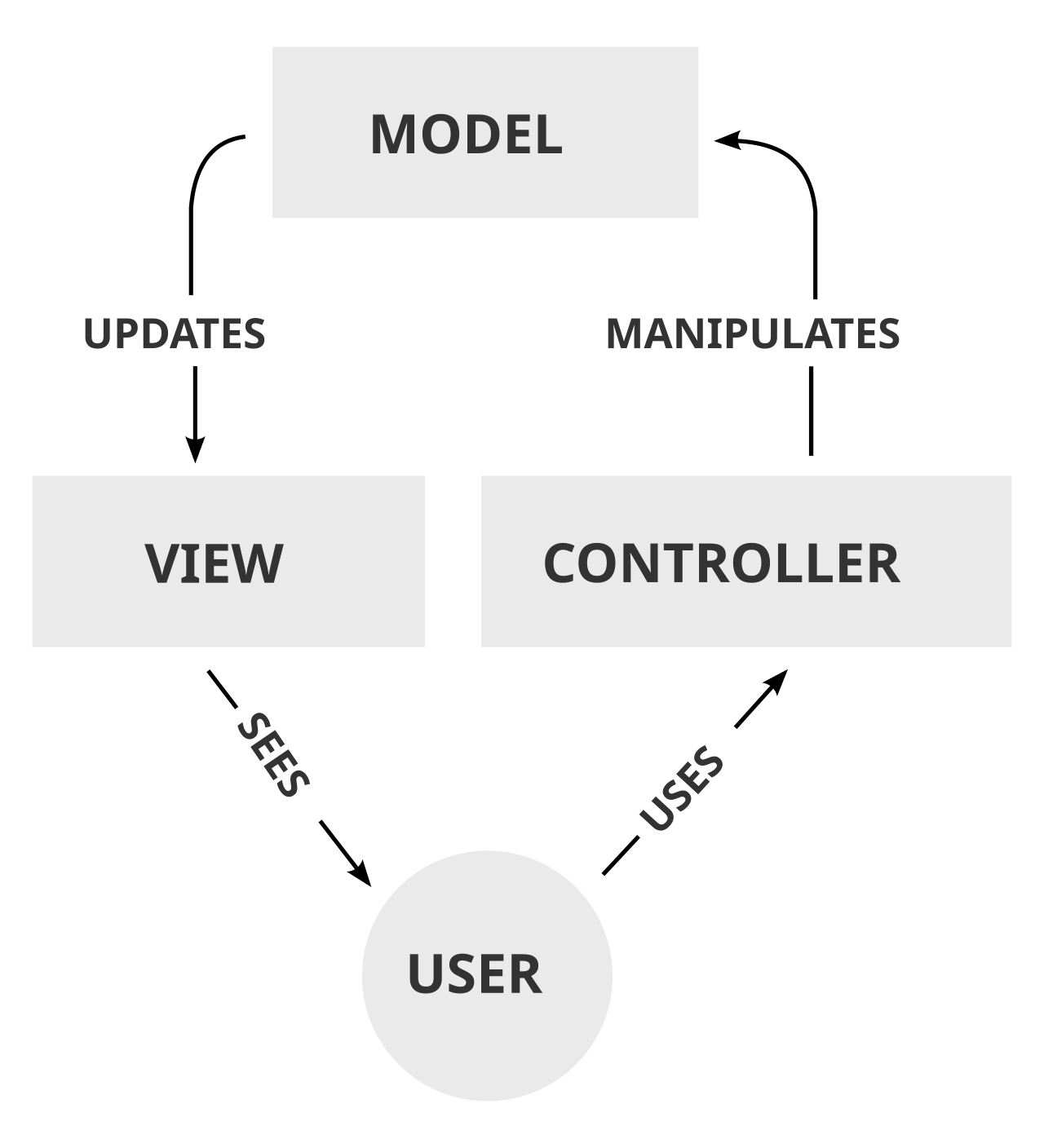
- Model: Data structures, domain logic, persistence.
- View: UI presentation.
- Controller: Handles user input and updates the View.
MVP (Model-View-Presenter)
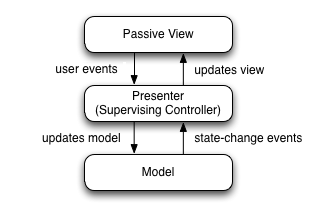
- Model: Data and business logic.
- Presenter: Manages logic and transforms data for the View.
- View: A “dumb” UI that delegates actions to the Presenter.
MVVM (Model-View-ViewModel)
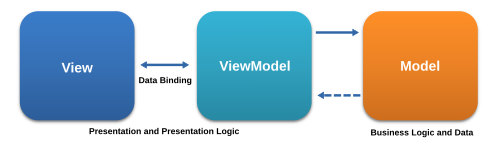
- Model: Data source (e.g., API, local storage).
- ViewModel: Manages state, transformations, and side effects.
- View: A React component that consumes ViewModel data.
Implementing the MVVM Design Pattern in React
The Model (userService.js)
export async function getUserData() {
  const response = await fetch('https://api.example.com/user');
  if (!response.ok) {
    throw new Error('Failed to fetch user data.');
  }
  return response.json();
}
The ViewModel (useUserProfileViewModel.js)
import { useState, useEffect, useRef } from 'react';
import { getUserData } from '../services/userService';

export function useUserProfileViewModel() {
  const [user, setUser] = useState(null);
  const [loading, setLoading] = useState(true);
  const [error, setError] = useState(null);
  const containerRef = useRef(null);

  useEffect(() => {
    async function fetchUser() {
      try {
        const data = await getUserData();
        setUser(data);
      } catch (err) {
        setError(err.message);
      } finally {
        setLoading(false);
      }
    }
    fetchUser();
  }, []);

  return { user, loading, error, containerRef };
}
The View (UserProfile.jsx)
import React from 'react';
import { useUserProfileViewModel } from './useUserProfileViewModel';

function UserProfile() {
  const { user, loading, error, containerRef } = useUserProfileViewModel();

  if (loading) return <div>Loading user data...</div>;
  if (error) return <div>Error: {error}</div>;

  return (
    <div ref={containerRef}>
      <h1>{user?.name}</h1>
    </div>
  );
}

export default UserProfile;
Final Thoughts
Applying MVVM to React components provides clear separation of concerns, improves maintainability, and enhances testability. By structuring your app around Models, ViewModels, and Views, you ensure a scalable, organized, and testable architecture.