
Design a Robot Teleoperation Dashboard – Frontend System Design
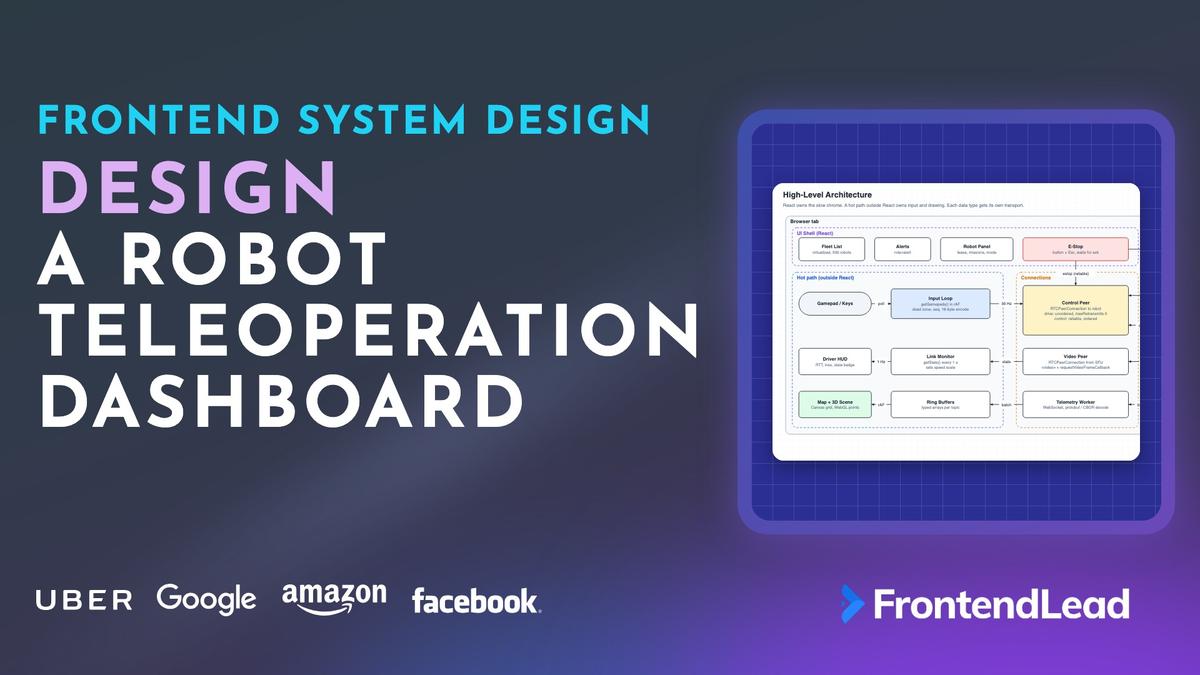
We’ll walk through the frontend system design for a teleoperation dashboard: a web app where operators monitor a fleet of warehouse robots or sidewalk delivery robots, and take over to drive one remotely when it gets stuck. You’ll see why the video runs on WebRTC instead of HLS, why joystick commands travel on an unreliable data channel, how a deadman watchdog stops the robot when the browser goes quiet, and how to render 50 Hz telemetry without React re-rendering 50 times a second.
This is not the video call question. In a Zoom answer, a late frame is an annoyance. Here, a late frame means the operator is steering a 100 kg machine based on where it was a quarter of a second ago. Every design choice is about latency, freshness, and failing safe.
Problem Statement
Design the frontend for a dashboard that monitors and remotely drives a fleet of mobile robots.
Requirements:
- A fleet view: every robot on a site map with status, battery, and alerts
- Live low-latency camera video from a selected robot
- Remote driving with a gamepad or keyboard, plus mission commands (go to, pause, dock)
- An emergency stop that always works and confirms that it worked
- Live telemetry: pose, velocity, battery, logs, and a 3D view of lidar data
- Only one operator can drive a robot at a time, with handoff between operators
- Sessions are recorded for incident review
Describe the client architecture, the transport for video, control, and telemetry, and how the system behaves when the network degrades.
Interviewers are checking three things. Do you pick a transport per data type instead of putting everything on one WebSocket? Do you know where safety lives (hint: not in the browser)? And can you keep a dashboard full of high-rate streams responsive?
Clarifying Questions
| # | Question | Interviewer’s Answer |
|---|---|---|
| 1 | What kind of robots, and how fast do they move? | Warehouse AMRs and sidewalk delivery robots. Up to about 1.5 m/s. |
| 2 | Are operators driving all the time? | No. Robots are autonomous. Operators take over when one is stuck or confused. |
| 3 | How big is the fleet? | About 500 robots across sites, 30 operators. One operator watches 20–50 robots and drives one at a time. |
| 4 | What networks do the robots use? | Warehouses on Wi-Fi, delivery robots on LTE or 5G. Expect 50–150 ms RTT and loss spikes. |
| 5 | What input devices and browsers? | Gamepad first, keyboard as fallback. Desktop Chrome and Edge in an operations center. |
| 6 | What runs on the robot? | ROS 2, one or two cameras, a 2D or 3D lidar, and a hardware E-stop with an onboard obstacle stop. |
| 7 | What has to be recorded? | Every command and every driving session, kept 30 days for incident review. |
Question 2 makes this an exception-handling tool, not a racing game. The fleet view is where operators spend most of their time, and taking control is a deliberate, auditable action. Question 4 tells you that packet loss and jitter are normal, so the design has to degrade gracefully instead of assuming a clean link. Question 6 is the important one: the robot already has a safety layer, and the dashboard must never be the only thing that can stop it.
Requirements
Functional
- Fleet list and site map with live pose, mode, battery, and alerts for every robot.
- Robot detail view: camera feeds, telemetry panels, logs, and a 3D view of pose and point cloud.
- Request control, drive with a gamepad or keyboard, send mission commands, and release control.
- Emergency stop from a large on-screen button and a keyboard shortcut, with visible confirmation.
- Control handoff: request takeover from another operator, or force it with a supervisor role.
- Alerts for faults, low battery, stuck robots, and degraded links.
- Replay a recorded session with video, telemetry, and commands on one timeline.
Non-Functional
- Glass-to-glass video latency under about 200 ms on a good link.
- Drive commands at a steady 20–50 Hz, with newer commands always replacing older ones.
- Fail safe: if commands stop arriving for any reason, the robot stops within a few hundred milliseconds.
- The UI stays at 60fps while video, telemetry, and the 3D view are all live.
- Every command is attributable to an operator and a robot in an audit log.
- Keyboard-operable, with critical alerts that do not rely on color or sound alone.
The fail-safe requirement shapes the whole design. Browsers crash, laptops sleep, tabs get hidden, and cellular links drop. You can’t prevent any of that, so the system is built so that silence from the operator means “stop”.
Napkin Math
| Metric | Estimate | Calculation | So what? |
|---|---|---|---|
| Distance moved during video latency | ~0.26 m | 1.5 m/s × 0.17 s glass-to-glass | The operator always sees the past. Cap speed in teleop. |
| Full control loop | ~540 ms, ~0.8 m | 169 ms video + 250 ms human + 119 ms command path | Reaction to an obstacle is slow. The robot’s own obstacle stop matters. |
| Travel before the watchdog fires | ~0.45 m | 300 ms timeout × 1.5 m/s | Short timeout, plus braking distance, on link loss. |
| Drive command bandwidth | ~3 KB/s | 30 Hz × (18 B payload + ~80 B headers) | Bandwidth is free. Latency and freshness are the problem. |
| Operator video downlink | ~3.2 Mbps | 2 Mbps 720p driver feed + 8 × 150 kbps thumbnails | Simulcast: one big layer, many small ones. |
| Raw 3D lidar | ~29 Mbps | 300,000 points/s × 12 B (3 × float32) | Too much for LTE. Decimate on the robot. |
| Decimated point cloud | ~2.4 Mbps | 10,000 points × 6 B (int16 xyz) × 5 Hz | Fits next to video. Draw with WebGL, not DOM. |
| Fleet pose updates | ~1,000 msgs/s | 500 robots × 2 Hz | Batch server-side into ~10 frames per second. |
| Site occupancy grid | 8 MB | 200 m × 100 m at 5 cm = 4,000 × 2,000 cells × 1 B | Rasterize once into a bitmap. Never redraw per frame. |
Architecture

The client splits into three parts by update rate. React owns the slow chrome. A hot path outside React owns input and anything that redraws every frame. A connections layer owns the three network transports, and each one is chosen for the kind of data it carries.
| Layer | Owns | Runs on | Update rate |
|---|---|---|---|
| UI Shell | Fleet list, alerts, robot panel, E-stop button | React, main thread | ~4 Hz sampled reads |
| Hot path | Input loop, link monitor, ring buffers, map, 3D scene | Main thread, requestAnimationFrame | 30–60 Hz |
| Connections | Control peer, video peer, telemetry socket | WebRTC + a Web Worker | Per message |
| Cloud | API, signaling, TURN, SFU, telemetry gateway, audit | Servers | Per request |
| Robot | Control agent, robot stack, safety controller | Onboard computer | 50–100 Hz control loop |
Three transports, three jobs. Drive commands go on an RTCDataChannel in a peer connection between the browser and the robot’s control agent, usually relayed by TURN. Video comes from a media server (an SFU) that receives the robot’s stream once and fans it out to the driver, supervisors, and the recorder. Telemetry comes over a WebSocket from a gateway that sits in front of the robot’s ROS topics.
“I split transports by what a late message is worth. A late joystick command is worthless, so it rides an unreliable data channel. A late mission command is still needed, so it rides a reliable one. Telemetry is a stream of many topics, so it gets a WebSocket with per-topic rate limits.”
Notice that the robot never accepts inbound connections. It dials out to the signaling server, the SFU, and the telemetry gateway over mTLS. That keeps robots off the public internet and works behind carrier-grade NAT on cellular.
Data Model

type RobotId = string;
type RobotMode = "AUTONOMOUS" | "TELEOP" | "PAUSED" | "ESTOPPED" | "FAULT" | "OFFLINE";

interface Pose2D { x: number; y: number; theta: number } // map frame, meters and radians

interface Robot {
  id: RobotId;
  name: string;
  siteId: string;
  mapId: string;
  mode: RobotMode;
  pose: Pose2D;
  batteryPct: number;
  lastSeenAt: number;          // epoch ms, server clock
  lease: ControlLease | null;
}

interface ControlLease {
  id: string;
  robotId: RobotId;
  operatorId: string;
  tabId: string;               // one driving tab per operator
  token: string;               // signed by the API, verified by the robot
  epoch: number;               // increments on every grant
  expiresAt: number;           // epoch ms, renewed every 3 s
}

interface TelemetryTopic {
  name: string;                // "/battery", "/odom", "/points"
  schema: string;              // "sensor_msgs/msg/PointCloud2"
  encoding: "protobuf" | "cbor" | "cdr";
  nativeHz: number;
  maxHz: number;               // the rate this client subscribed at
}

interface DriveCommand {
  seq: number;                 // uint32, robot drops anything not newer
  sentAt: number;              // robot-clock ms, after time sync
  linear: number;              // m/s
  angular: number;             // rad/s, positive is counterclockwise
  deadman: boolean;            // hold-to-drive button state
}

type MissionCommand =
  | { kind: "goto"; id: string; target: Pose2D }
  | { kind: "pause" | "resume" | "dock"; id: string }
  | { kind: "estop"; id: string; reason: string };

interface CommandAck { id: string; status: "accepted" | "rejected" | "done"; reason?: string }
Three choices in that model are worth defending.
Drive commands and mission commands are different types. A drive command is a continuous sample: only the newest one matters, it has no id, and it is never acknowledged. A mission command is a discrete intent: it has an id, it is acked, and it is retried until the ack arrives. Mixing them forces one transport to be both fast and reliable, and it can’t be both.
The lease has an epoch. When control passes from Priya to Marco, the epoch goes from 7 to 8. Any command still in flight from Priya’s tab carries epoch 7, and the robot drops it. Without an epoch, a laggy packet from the previous driver could move the robot after the handoff.
Topics carry a subscribed rate. The robot publishes odometry at 50 Hz. A battery widget needs 1 Hz. The client says what it needs, and the gateway throttles per subscription.
Video: Why WebRTC, and How to Measure It
Most candidates know video streaming from the Netflix question, where HLS or DASH is the right answer. It is the wrong answer here.
| Aspect | HLS / DASH | WebRTC |
|---|---|---|
| Typical latency | Seconds (2–5 s even in low-latency HLS) | ~100–300 ms |
| Transport | HTTP over TCP, segment files | RTP over UDP (SRTP) |
| On packet loss | Retransmit, buffer, stall | Drop or conceal, request a keyframe, keep going |
| Bitrate adaptation | Player picks a rendition per segment | Congestion control adjusts within a second |
| Good for | Watching | Steering |
The key difference is the attitude to old data. HLS assumes every frame must be shown, so it buffers. WebRTC assumes a late frame is worthless, so it keeps a small jitter buffer and skips ahead. For a driver, a choppy frame now beats a smooth frame from three seconds ago.
Connection setup
WebRTC needs a signaling server to exchange the SDP offer and answer and the ICE candidates. WebRTC does not define signaling, so you use your own WebSocket. ICE then tries to connect the two peers directly using addresses discovered through STUN. Robots on cellular sit behind carrier-grade NAT, where direct connections often fail, so plan for TURN to relay most robot traffic. Serve TURN on UDP first, with TCP or TLS on port 443 as a fallback for locked-down networks, accepting the extra head-of-line delay.
The signaling server is also a security checkpoint. It only forwards an offer to a robot when the offer carries a valid lease token for that robot. That way, nobody can open a peer connection to a robot they are not authorized to drive.
Simulcast through an SFU
The driver wants 720p at 30fps. A supervisor watching eight robots wants eight thumbnails. A recorder wants the best quality. The robot should not encode separate streams for each viewer over a cellular uplink.
The robot publishes simulcast: one track encoded at several resolutions (say 1280×720 at ~2 Mbps, 640×360 at ~500 kbps, 320×180 at ~150 kbps). The SFU forwards the top layer to the driver and the bottom layer to grid thumbnails. When the driver’s downlink struggles, the SFU drops them to the middle layer without touching the robot. Configure the robot’s encoder to drop resolution before frame rate. A smooth low-resolution image is easier to drive than a sharp slideshow.
Measuring the link with getStats
Operators need numbers, not a spinner. RTCPeerConnection.getStats() returns an RTCStatsReport. Sample it once a second and show RTT, jitter, packet loss, and frame rate on the driver HUD.
interface LinkQuality { rttMs: number; jitterMs: number; lossPct: number; fps: number; jitterBufferMs: number }
A link monitor owns this. Once a second it calls getStats() and walks the report for two entries. The nominated, succeeded candidate-pair gives the current RTT (reported in seconds, so convert). The video inbound-rtp entry gives jitter, frames per second, packets lost and received, and the jitter buffer counters. It keeps the previous sample so it can turn cumulative counters into per-second rates, and it publishes one LinkQuality to the session store. Missing fields become NaN rather than zero, so the HUD shows “unknown” instead of a reassuring 0 ms.
Two details interviewers like. First, packetsLost is cumulative, so compute loss from the difference between samples, otherwise a bad minute an hour ago hides a good link now. Second, jitterBufferDelay is also cumulative, so the lifetime average reacts slowly. Diff it between samples in production.
Read RTT from the control peer connection too, since that is the path drive commands take. The video path goes through the SFU and can have a different RTT.
Detecting a frozen frame
Stats tell you about packets. They don’t tell you the image on screen is stale. Use HTMLVideoElement.requestVideoFrameCallback(), which fires each time a new frame is presented. Record the time of the last frame. If more than 500 ms pass without one, overlay a “VIDEO STALE” badge with the age in seconds, and cap speed. A frozen frame that looks live is the most dangerous failure in the whole dashboard.
The latency budget

| Stage | Typical | What you can change |
|---|---|---|
| Camera capture | ~33 ms | Higher frame rate (one frame at 30fps) |
| Encode | ~15 ms | Hardware encoder, no B-frames |
| Network (robot to SFU to browser) | ~65 ms | Nearby SFU and TURN regions |
| Jitter buffer | ~30 ms | Smaller on stable links, bigger on lossy ones |
| Decode + display | ~26 ms | Hardware decode, avoid extra canvas copies |
| Command path back | ~119 ms | Send rate, TURN location, robot control loop |
The video path adds up to about 169 ms. Add about 250 ms for a human to react, and about 119 ms for the command to reach the wheels, and the full loop is around 540 ms. At 1.5 m/s the robot moves about 0.8 m in that time. That number justifies two later decisions: teleop speed is capped well below autonomous speed, and the robot’s own obstacle stop is never disabled in teleop.
Driving: Control Channel, Input, and the Deadman
Two data channels
Data channels run on SCTP over DTLS over UDP, and each channel can choose its own delivery semantics. Open two channels on the control peer connection.
const pc = new RTCPeerConnection({ iceServers });   // STUN + short-lived TURN credentials

// Joystick: newest command wins. A retransmitted stale command is worse than none.
const drive = pc.createDataChannel("drive", { ordered: false, maxRetransmits: 0 });
drive.binaryType = "arraybuffer";

// Missions, E-stop, time sync, acks: every message must arrive, in order.
const control = pc.createDataChannel("control", { ordered: true });
| Channel | Options | Carries | On loss |
|---|---|---|---|
| drive | ordered: false, maxRetransmits: 0 |
Velocity at 30 Hz | Dropped. The next one is 33 ms away. |
| control | ordered: true (reliable default) |
Missions, E-stop, hello, time sync | Retransmitted until delivered |
| Telemetry WebSocket | TCP | Topics at throttled rates | Retransmitted, gateway drops old frames under backpressure |
Why not send joystick commands on the reliable channel? Because reliability means head-of-line blocking. If one packet is lost, every command behind it waits for the retransmit, then they all arrive at once and the robot lurches. Why not on the telemetry WebSocket? TCP has the same problem, plus the path goes through more servers.
Polling the gamepad
The Gamepad API is a polling API. gamepadconnected tells you a pad exists, but stick values only come from calling navigator.getGamepads(), which returns a snapshot. Poll it inside requestAnimationFrame, and send at a fixed rate that is independent of the display’s refresh rate.
The input loop owns this. It runs on requestAnimationFrame, but sends on its own 30 Hz clock, so a 120 Hz display doesn’t send four times as many commands.
- Read. Take the first gamepad with the standard mapping from
navigator.getGamepads(). - Shape. Apply a dead zone of about 0.12 to each stick and rescale the remainder so the response still starts smoothly at the edge of the dead zone. Map the left stick’s vertical axis to linear velocity and the right stick’s horizontal axis to angular velocity, flipping signs so “stick up” means forward and “stick right” means a right turn.
- Gate. Multiply by the UI speed caps, by the link monitor’s speed scale, and by zero unless the deadman button is held.
- Stamp. Attach an incrementing sequence number and the send time converted to robot time.
- Send. Encode to an 18-byte binary frame (type, seq, timestamp, linear and angular in milli-units, deadman flag). Send only if the channel’s
bufferedAmountis under about 1 KB.
A few decisions in that loop carry most of the design.
- The standard mapping. With
mapping === "standard",axes[0..1]are the left stick andaxes[2..3]the right stick, with up as -1. Any other mapping needs a calibration screen. - The dead zone. Worn sticks rest at 0.05 instead of 0. Without a dead zone, a robot creeps forward while nobody touches the pad.
- Hold to drive. The robot only moves while a button is held. Let go, drop the pad, or have a sneeze, and the next command is zero.
bufferedAmount. If SCTP congestion control is holding messages, don’t add more. Skip this tick and send fresh data on the next one.- Binary encoding. 18 bytes with a
DataView. JSON would be ~90 bytes and need parsing on a small robot computer.
Keyboard driving uses the same loop. Track pressed keys in a Set on keydown and keyup, read the set in the same send loop, and clear it on blur and visibilitychange. A keyup that happens after the window lost focus never arrives, and without that clear, the robot keeps driving on a key nobody is holding.
Clock sync for command age
Sequence numbers handle reordering. Timestamps handle staleness: the robot drops commands older than about 250 ms. Browser and robot clocks are not in sync, so measure the offset at session start over the reliable channel, NTP-style.
The session store runs this over the reliable control channel. It sends a few time requests, recording the browser time before and after each. For each sample, the round trip is the difference, and the offset is the robot’s reported time minus the browser midpoint. It keeps the offset from the sample with the lowest round trip. The result is a single number: robot time is browser time plus the offset.
The lowest-RTT sample is the one least distorted by queuing. Re-run it every minute; laptop clocks drift and NTP can step them.
The deadman watchdog lives on the robot
This is the most important paragraph in the answer. The browser is never a safety layer. It can freeze on a garbage collection pause, the tab can be hidden (and requestAnimationFrame stops running in hidden tabs), the laptop can sleep, and the link can drop. In every one of those cases the browser can’t send “stop”. So the robot treats silence as stop.
The robot’s control agent owns the watchdog, usually in C++ or Rust. It keeps two values: the last accepted sequence number and the time the last valid command arrived.
- Drop a drive command if its channel belongs to a previous lease epoch, if its sequence number is not newer than the last one, or if it is more than about 250 ms old in robot time.
- Apply an accepted command through the safety controller’s limits, or zero velocity if the deadman flag is off.
- Stop on silence. A 50 Hz timer sets velocity to zero whenever more than about 300 ms have passed since the last valid command.
The browser has no say in any of this. Every failure on the operator’s side, from a frozen tab to a cut cable, looks like silence, and silence means stop.
Under all of this sits the robot’s safety controller: a hardware E-stop circuit, an obstacle stop from its own sensors, and speed limits. Teleop commands go through it, never around it. Reset lastSeq when a new lease epoch starts, since the new driver’s tab starts counting from 1.
Emergency stop
A software E-stop in a browser is not a certified safety function. Say so. It is still the button operators reach for first, so make it as dependable as a web page can be.
- Big and always visible. Fixed position, red, at least 64 px tall, never covered by a modal. Label it “STOP”, not an icon.
- A keyboard shortcut.
Eschandled by akeydownlistener onwindowin the capture phase, so it works no matter which panel has focus. - Two independent paths. Send
estopon the reliable control channel and, at the same time,POST /api/robots/:id/estop, which the fleet server relays over the robot’s own connection. Either one stops the robot. - Confirmed by ack. The button shows “Stop sent” until the robot acks, then “Stopped”. If no ack arrives in one second, show “STOP NOT CONFIRMED” in a
role="alert"region and keep retrying. - No lease required. Any operator with view access to a robot can stop it. Starting it again requires a lease and an explicit reset.
Acquiring control

Control is a lease, not a flag. The client calls POST /api/robots/:id/lease. The API does a compare-and-set in its database: grant only if there is no active lease, or the active one has expired. The response carries a signed token, an epoch, and an expiry about 10 seconds out. The client renews every 3 seconds, so two missed renewals still leave time before expiry.
When the lease expires (the operator closed the laptop, or the API is unreachable), the robot drops the session, stops, and goes to PAUSED. When another operator requests a takeover, the current driver sees a prompt with a 10-second countdown. A supervisor can force it. Either way the epoch increments and the robot closes the old driver’s data channels.
Tie the lease to a tab id, not just an operator. Two tabs of the same operator driving the same robot is a bug waiting to happen. Use a BroadcastChannel to tell the operator’s other tabs that this one holds control, and show them read-only.
The control state machine

Model the driver’s session as an explicit state machine with a discriminated union, not a pile of booleans like isConnected and hasLease. Every UI decision (is the stick live, what color is the HUD, can you press “resume”) reads from one state.
- Armed means connected and holding the lease, deadman not pressed. The robot holds position.
- Degraded means RTT above 300 ms, loss above 5%, or stale video. The client lowers
speedScaleto 0.3 and tells the SFU to prefer a lower layer. - Link Lost means ICE failed or the control channel closed. The robot’s watchdog already stopped it. The client calls
pc.restartIce()if the lease is still valid, otherwise it falls back to observing. - E-Stopped only leaves through an explicit reset that the operator confirms.
Recovery is asymmetric on purpose. Dropping into Degraded happens on one bad sample. Leaving it requires five seconds of good samples, so the speed cap doesn’t flap.
Telemetry, Map, and 3D View
The telemetry protocol
Robots running ROS publish data as typed topics. Two common ways to get those into a browser are rosbridge, a JSON protocol with subscribe, publish, and call_service operations (it supports per-subscription throttle_rate and CBOR compression), and the Foxglove WebSocket protocol, where the server advertises channels, the client subscribes, and messages arrive as binary frames tagged with a subscription id and a timestamp.
Whichever you use, put your own gateway in front of it. rosbridge has no per-topic authorization of its own, and exposing it directly gives anyone with the URL full access to the robot’s topics, including command topics. The gateway authenticates the operator, filters topics by role, applies rate limits, and keeps robots off the public internet.
Design the wire format for the hot topics:
- Binary frames. Protobuf or CBOR, or raw ROS CDR bytes. A point cloud as JSON is several times larger and slow to parse.
- Per-topic rate limits. The client subscribes with a
maxHz. The gateway keeps the latest message per subscription and emits at that rate, dropping intermediate ones. - Backpressure. If the socket’s send buffer grows, the gateway drops lossy topics (point clouds, images) first and keeps state topics (mode, faults, battery).
- Subscribe to what’s visible. Close the 3D panel and the client unsubscribes from
/points. The fleet view subscribes to one batchedfleet/posestopic, not 500 robots’ odometry.
Keep high-rate data out of React
Ten topics at 50 Hz is 500 messages a second. Put each one in useState and you have 500 renders a second fighting the video decoder. Instead, decode in a Web Worker, write samples into ring buffers, and draw with canvas or WebGL in one requestAnimationFrame loop. React only reads sampled values a few times a second for numbers and labels.
type Decoded =
  | { kind: "scalar"; topic: string; t: number; value: number }
  | { kind: "points"; t: number; positions: Float32Array; count: number };
The telemetry worker owns the socket and all decoding. It keeps a map from subscription id to a decoder for that topic’s schema. Each binary frame carries a type byte, a subscription id, and a timestamp. Frames for unknown subscriptions (late arrivals after an unsubscribe) are dropped. Scalar samples are appended to a batch. Point clouds overwrite a single slot, because only the newest cloud matters. Every 16 ms the worker posts the batch and the latest cloud to the main thread, transferring the cloud’s buffer instead of copying it, and starts a new batch.
On the main thread, scalar samples go into fixed-size ring buffers backed by typed arrays. No allocation per sample, no unbounded arrays, and a plot can draw the last 30 seconds by walking the buffer.
The ring buffer is a small class per series with a fixed capacity, a timestamp array (Float64Array), a value array (Float32Array), a head index, and a count. It supports three operations: push a sample (overwriting the oldest when full), iterate oldest to newest for plotting, and read the latest value. React never subscribes to it directly. A small useSampled hook polls a stable read function a few times a second and stores the result in state, so labels update at 4 Hz no matter how fast data arrives.
A velocity plot at 50 Hz for 30 seconds needs 1,500 slots. The battery label reads the latest value through the sampled hook and re-renders four times a second at most.
The 2D fleet map
The site map is a ROS-style occupancy grid: a row-major array of cells, each one unknown (-1) or 0–100 occupied, with a resolution in meters per cell and an origin pose. Convert it to RGBA once into an ImageData, put it on an offscreen canvas, and every frame just drawImage it with the current pan and zoom transform. Robots draw on top as small oriented icons.
Watch the coordinate flip. Grid row 0 is at the map origin and y increases with row index, while canvas y increases downward. Pixel y is height - (worldY - origin.y) / resolution. Getting this wrong mirrors the map, and every robot appears inside a wall.
500 robot icons on a 2D canvas is cheap. Interpolate each robot’s position between 2 Hz updates so icons glide instead of jumping, and gray out any robot whose lastSeenAt is older than 5 seconds.
The 3D view
The detail view shows the robot model, its pose, the lidar point cloud, and the planned path in a WebGL scene (three.js is the usual choice). Point clouds are the only heavy part.
- Decimate on the robot. Voxel-grid downsampling to about 10,000 points, quantized to int16 per axis. The browser never sees 300,000 points a second.
- Preallocate the GPU buffer. One
BufferGeometrywith a position attribute sized for the maximum point count. Each new cloud writes into it, setsneedsUpdate, and callssetDrawRange(0, count). No new geometry per frame. - Render on demand. Redraw when a cloud arrives or the camera moves, not continuously. Five clouds a second does not need 60 renders a second.
- Handle context loss. Listen for
webglcontextlostand rebuild from the latest data.
Recording and replay
Record on the server, not in the browser. The SFU records the video tracks. The gateway writes every telemetry message and every command (with operator id and lease epoch) to a log file. MCAP is a common open format for robot logs and is what Foxglove reads. A session record links the two by robot, operator, and time range.
For replay, the panels consume a DataSource interface with two implementations: live (worker plus socket) and playback (reads the log, emits messages on a timeline). The map, plots, and 3D view don’t know the difference. A scrubber seeks both the video element and the log to the same timestamp, which only works if robot timestamps are used everywhere instead of browser receive times.
State and Data Flow
Split state by owner and update rate.
- Server state (robot list, leases, missions, alerts history): a query cache, refetched on focus and updated by fleet events from the socket.
- Session state (the control state machine, lease, link quality): a small store outside React with a subscribe API, read by the HUD and the E-stop button.
- Stream state (telemetry samples, point clouds, poses): ring buffers and GPU buffers. Never in React.
- UI state (selected robot, open panels, map camera): local component state or the URL, so a supervisor can share a link to a robot’s view.
Data flows in one direction per transport. Video goes SFU to <video>. Telemetry goes gateway to worker to ring buffers to canvas. Commands go input loop to data channel to robot. The only thing that crosses lanes is the link monitor, which reads stats from the peers and writes speedScale and the state machine’s degraded flag.
API
// REST
GET    /api/robots?siteId=&status=&cursor=   // fleet list, paginated
GET    /api/robots/:id                       // detail + current lease holder
POST   /api/robots/:id/lease                 // { force?: boolean } -> ControlLease, or 409 { heldBy }
POST   /api/leases/:id/renew                 // -> { expiresAt }; 410 if revoked
DELETE /api/leases/:id                       // release; robot goes to PAUSED
POST   /api/robots/:id/estop                 // second E-stop path, no lease needed
POST   /api/robots/:id/missions              // MissionCommand, Idempotency-Key header
GET    /api/sessions/:id/recording           // signed URLs for log + video

// Signaling WebSocket
type SignalMessage =
  | { type: "offer"; robotId: string; leaseToken: string; sdp: string }
  | { type: "answer"; sdp: string }
  | { type: "candidate"; candidate: RTCIceCandidateInit }
  | { type: "error"; code: "LEASE_INVALID" | "ROBOT_OFFLINE" };

// Telemetry WebSocket: JSON control frames, binary data frames
type TelemetryClientMessage =
  | { op: "subscribe"; subscriptions: { id: number; topic: string; maxHz: number }[] }
  | { op: "unsubscribe"; ids: number[] };

type TelemetryServerMessage =
  | { op: "advertise"; topics: TelemetryTopic[] }
  | { op: "status"; level: "info" | "warn" | "error"; message: string };

// Control DataChannel (reliable, JSON)
type ControlMessage =
  | { type: "hello"; leaseToken: string; epoch: number }
  | { type: "time"; id: string }
  | { type: "mission"; command: MissionCommand };

type RobotMessage =
  | { type: "ready"; epoch: number }
  | { type: "ack"; ack: CommandAck }
  | { type: "time"; id: string; robotTime: number }
  | { type: "heartbeat"; seqApplied: number; mode: RobotMode; stopReason?: "WATCHDOG" | "ESTOP" | "OBSTACLE" };
The robot’s heartbeat runs at a few hertz in the other direction. It tells the UI which command sequence was last applied and why the robot stopped, so the HUD can say “Stopped by watchdog” instead of a generic error. Mission commands carry an id and an Idempotency-Key, so a retried “go to dock” after a timeout doesn’t queue two missions.
Optimizations
| Problem | Technique | Effect |
|---|---|---|
| Video seconds behind | WebRTC instead of HLS | ~100–300 ms instead of seconds |
| Robot lurches after loss | Unordered, maxRetransmits: 0 drive channel |
No head-of-line blocking |
| Robot uplink overloaded | Simulcast through an SFU | Encode once, serve many viewers |
| 500 renders per second | Worker decode, ring buffers, canvas | React updates at ~4 Hz |
| Point cloud too big | Voxel decimation + int16 on the robot | ~29 Mbps down to ~2.4 Mbps |
| Point cloud GC churn | Transferable buffers, preallocated geometry | No copies, no new GPU buffers |
| Map redraw per frame | Occupancy grid rasterized once | One drawImage per frame |
| Hidden panels still streaming | Subscribe only to visible topics | Bandwidth follows the layout |
Handling Edge Cases
- Tab hidden or laptop asleep.
requestAnimationFramestops, commands stop, and the robot’s watchdog stops it. Onvisibilitychange, explicitly send a zero command and move the state to Armed so the operator must press the deadman again when they return. - Gamepad unplugged mid-drive. Handle
gamepaddisconnectedby sending zero and showing a banner. Don’t silently fall back to the keyboard. - Network change (Wi-Fi to tethering). ICE fails or disconnects. Call
pc.restartIce()and renegotiate through signaling. The lease survives if renewal keeps succeeding. - Lease expires while driving. The robot stops on its own. The UI shows “Control lost” and returns to observing. It never silently re-acquires.
- E-stop ack never arrives. Keep sending on both paths and keep the alert up. Never show “Stopped” based on the click alone.
- Clock jump. NTP steps the laptop clock and every command looks 2 seconds old, so the robot drops them all. Re-measure the offset when the robot reports stale drops in its heartbeat.
- Robot reboots mid-session. The control peer closes. The robot comes back in
PAUSEDwith no lease. The operator must take control again. - Two operators click “take control” at once. The API’s compare-and-set grants one. The other gets a 409 with the current holder’s name.
- Stale fleet data. A robot that stopped reporting still shows its last pose. Gray it out with “last seen 40 s ago” rather than pretending it is live.
Accessibility and Security
Accessibility
- Critical alerts (E-stop, control lost, robot fault) go into a
role="alert"region. Routine updates usearia-live="polite", and never stream telemetry into a live region. - Status is never color alone. Battery shows a number, link quality shows text (“Good”, “Degraded”), and stale video shows a labeled badge.
- Every action has a keyboard path: robot list with arrow keys, take control, drive with WASD as hold-to-move,
Escto stop. Show the shortcuts on screen. - Pair audible alarms with a visual flash that respects
prefers-reduced-motion, since operations centers are noisy and some operators are hard of hearing. - The E-stop button is a real
<button>with a text label and a large hit area.
Security
- Authorization per robot. Roles per site or robot: viewer, operator, supervisor. The API, signaling server, and gateway all check it. The robot checks the lease token itself.
- Short-lived credentials. Lease tokens expire in seconds. TURN credentials are time-limited and issued per session.
- Audit log. Append-only record of lease grants, takeovers, missions, E-stops, and drive sessions. Joystick commands at 30 Hz are logged in the session recording, with summaries in the audit trail.
- mTLS on the robot side. Each robot has its own client certificate, revocable if a robot is stolen.
- Never expose the robot. No public IP, no inbound ports, no direct rosbridge. All traffic goes through authenticated gateways.
- Limits live on the robot. Speed caps and geofences are enforced onboard, so a compromised or buggy client still can’t drive at full speed into a loading dock.
What a Strong Answer Sounds Like
| Topic | Junior answer | Senior answer |
|---|---|---|
| Video | “Stream it with HLS” | WebRTC via SFU, simulcast, getStats HUD, stale-frame badge |
| Commands | Send JSON over the WebSocket | Unreliable data channel, seq + timestamp, binary, 30 Hz |
| Safety | A stop button in the UI | Robot watchdog, hold-to-drive, two E-stop paths with ack |
| Control | isDriving flag |
Lease with expiry and epoch, explicit state machine |
| Telemetry | Topics in Redux | Worker decode, ring buffers, canvas, per-topic rate limits |
| Bad network | Show a spinner | Speed cap, lower layer, stale indicators, auto-stop |
Conclusion: How to Design a Robot Teleoperation Dashboard
Start with transports. Video goes over WebRTC through an SFU with simulcast, because a late frame is worthless. Drive commands go over an unordered data channel with maxRetransmits: 0, carrying sequence numbers and timestamps, because only the newest command matters. Mission commands and E-stops go over a reliable channel and are acked. Telemetry goes over a binary WebSocket with per-topic rate limits.
Then put safety where it belongs. The robot stops when commands go quiet, enforces its own limits, and checks a lease epoch on every command. The browser shows the operator the truth about the link: RTT, loss, frame age, and whether the stop was confirmed. If you can explain why silence means stop, and why the UI is never the only safety layer, you’ve shown the interviewer you understand what makes this different from every other dashboard.