
Design Twitch – Frontend System Design
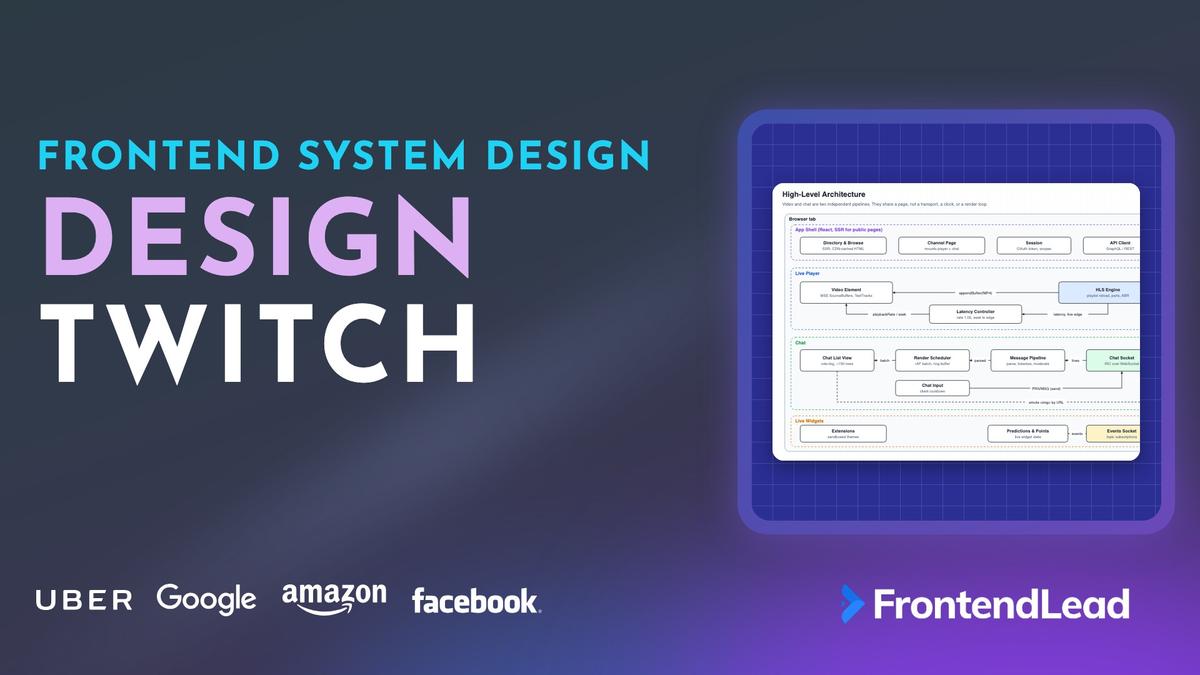
We’ll walk through the frontend system design for Twitch: a live video player that stays a few seconds behind the broadcaster, sitting next to a chat that can receive tens of thousands of messages a minute. You’ll see how Low-Latency HLS gets the playhead close to the live edge, how a player keeps it there with playbackRate instead of seeking, and how a chat client renders a firehose without growing the DOM forever.
This is not the Netflix question. Netflix is video on demand: big buffers, seek anywhere, latency doesn’t exist. It is also not a chat app, where every message matters and you render all of them. On Twitch, the video has a deadline and most chat messages are on screen for less than a second. Both facts change the design.
Problem Statement
Design the viewer web app for a live streaming platform like Twitch.
Requirements:
- Watch a live stream with a few seconds of latency, at a quality that fits the viewer’s connection
- Read and send chat messages, with emotes, mentions, and links
- Moderation: deleted messages, timeouts, bans, slow mode, followers-only mode
- Live widgets on the channel page: predictions, channel points, extensions
- A directory of live channels that search engines can index
- Popular channels with hundreds of thousands of viewers and a chat that never stops scrolling
Describe the client architecture, the player, the chat client, and how they talk to the backend.
Interviewers are checking three things. Do you know where live latency comes from, and which knobs move it? Can you keep a player at the live edge without stutter? And do you know that rendering every chat message as it arrives will freeze the tab?
Clarifying Questions
| # | Question | Interviewer’s Answer |
|---|---|---|
| 1 | Viewer app only, or broadcaster tools and ingest too? | Viewer only. Assume the stream reaches our origin already encoded. |
| 2 | What latency target? | 2–5 seconds in low-latency mode. A slower fallback is fine on bad networks. |
| 3 | How big is the biggest channel? | Hundreds of thousands of viewers. Chat peaks at tens of thousands of messages a minute. |
| 4 | Do we cover VODs and clips? | No. Live only. |
| 5 | Can logged-out users watch and read chat? | Yes. Sending messages, predictions, and points need an account. |
| 6 | Which browsers and devices? | Desktop browsers and mobile web, including Safari on iPhone. |
Question 2 rules out standard HLS with long segments and points you at Low-Latency HLS. Question 3 tells you chat is a rendering problem, not a networking problem. Question 6 matters more than it looks: Safari on iPhone plays HLS natively, so your player needs two code paths.
Requirements
Functional
- Play a live stream with automatic quality selection, plus a manual quality menu.
- Stay close to the live edge, recover from stalls, and let the user toggle a low-latency mode.
- Show captions when the stream carries them.
- Read chat in real time. Render emotes (first-party and third-party), badges, mentions, and links.
- Send messages, respecting slow mode, followers-only, emote-only, and subscriber-only rooms.
- Remove deleted messages and messages from timed-out or banned users as soon as the event arrives.
- Pause chat when the user scrolls up, and show how many messages are waiting below.
- Show live predictions and channel points, and host extension panels and overlays.
- Browse live channels by category, with server-rendered pages.
Non-Functional
- Glass-to-glass latency of 2–5 seconds in low-latency mode.
- Smooth scrolling and input at 60fps while chat runs at hundreds of messages a second.
- Flat memory over a multi-hour session: bounded video buffer, bounded chat DOM.
- No XSS from chat, ever. Every message is untrusted input from a stranger.
- Usable with a keyboard and a screen reader, including a way to stop the chat from moving.
The two budgets that drive everything are 3 seconds of latency for the video and 16.7ms per frame for the page. The video pipeline fights the first. Chat fights the second.
Napkin Math
| Metric | Estimate | Calculation | So what? |
|---|---|---|---|
| Chat rate, big channel | ~500 msgs / sec | 30,000 msgs/min ÷ 60 | One DOM write per message is out of the question. |
| Messages per frame | ~8 | 500 ÷ 60 frames | Batch per frame, not per message. |
| Chat bandwidth | ~200 KB/s (1.6 Mbit/s) | 500 × ~400 bytes with IRC tags | Chat can cost as much as a low video rung. |
| DOM nodes without a cap | ~3,000,000 in 10 min | 500/s × 600 s × ~10 nodes per row | The tab dies. Cap the list. |
| DOM nodes with a 150-row cap | ~1,500 | 150 rows × ~10 nodes | Constant, no matter how long you watch. |
| Time a row stays in the buffer | ~0.3 s | 150 rows ÷ 500/s | Nobody reads it at full speed. That is fine. |
| Video, top rung | ~2.7 GB / hour | 6 Mbit/s ÷ 8 × 3,600 s | ABR and a size cap matter for mobile data. |
| LL-HLS requests | ~400,000 / sec at the edge | 100,000 viewers × (2 playlist + 2 part requests per sec at 0.5 s parts) | Edges must coalesce identical requests. |
Architecture

The page has two pipelines that should never block each other. Video flows from a CDN through an HLS engine into Media Source Extensions. Chat flows from a WebSocket through a parser into a frame-batched renderer.
| Layer | Owns | Updates at | Talks to |
|---|---|---|---|
| App Shell | Routing, layout, directory, session | User navigation | API (GraphQL / REST) |
| Live Player | HLS engine, MSE buffers, latency controller | Every part (~0.5 s), 4 Hz latency checks | Video CDN edge |
| Chat | Socket, parser, emote tokenizer, render scheduler | Once per animation frame | Chat edge servers |
| Live Widgets | Predictions, points, extension iframes | Event-driven, throttled to ~1 Hz | Realtime events socket |
Some of this is public about Twitch: chat is built on IRC, and third-party clients connect to it over a WebSocket at wss://irc-ws.chat.twitch.tv. Video is delivered as HLS. Extensions run as iframes on the channel page. Everything else here is a common approach, not a claim about Twitch’s internals.
“React renders the page around the player and the chat. The chat list itself is an imperative island: messages go into a queue, and one
requestAnimationFramecallback appends a batch and trims the oldest rows. React never re-renders per message.”
The senior point is separation. The player does not care that chat is busy, and chat must not drop a frame because a video segment landed. Both run on the main thread, so the only way to keep them apart is to keep each one’s per-frame work small and bounded.
Data Model

The most important choice is that a chat message is a list of typed fragments, produced once by a tokenizer. Nothing downstream ever sees the raw string as HTML.
type Rendition = {
  readonly name: string;          // "1080p60", "720p60", ... "160p"
  readonly bandwidth: number;     // bits per second, from EXT-X-STREAM-INF
  readonly width: number;
  readonly height: number;
  readonly frameRate: number;
};

type Fragment =
  | { readonly type: "text"; readonly text: string }
  | { readonly type: "emote"; readonly emoteId: string; readonly code: string }
  | { readonly type: "mention"; readonly login: string }
  | { readonly type: "link"; readonly url: string; readonly text: string };

type ChatMessage = {
  readonly id: string;            // server-assigned, target of deletes
  readonly userId: string;
  readonly displayName: string;
  readonly color: string | null;
  readonly badges: readonly { setId: string; version: string }[];
  readonly fragments: readonly Fragment[];
  readonly sentAt: number;        // server epoch ms (tmi-sent-ts)
  readonly isAction: boolean;     // "/me" messages
};

type Emote = {
  readonly id: string;
  readonly code: string;          // the word that triggers it, e.g. "Kappa"
  readonly provider: "twitch" | "bttv" | "ffz" | "7tv";
  readonly urls: { readonly x1: string; readonly x2: string; readonly x4: string };
  readonly width: number;         // CSS px at 1x; height is always 28
  readonly animated: boolean;
};

type ModerationEvent =
  | { readonly type: "delete"; readonly messageId: string }
  | { readonly type: "timeout"; readonly userId: string; readonly seconds: number }
  | { readonly type: "ban"; readonly userId: string }
  | { readonly type: "clear" };

type RoomState = {
  readonly slowSeconds: number;       // 0 = off
  readonly followersOnlyMin: number;  // -1 = off, 0 = any follower
  readonly emoteOnly: boolean;
  readonly subsOnly: boolean;
};
Three choices are worth defending.
Fragments, not HTML. The renderer maps each fragment to a DOM node with textContent or createElement. There is no string concatenation into markup, so there is no place for an injected <img onerror> to execute.
Moderation is a separate event type. A delete doesn’t mutate a message on the wire. It arrives later and points at a message id or a user id. The client must be able to find that row fast, so the renderer keeps a Map from message id to DOM row.
Emotes carry their size. Width and height are known before the image loads, so a row never changes height when an emote arrives from the CDN. With 8 messages a frame, a layout shift per emote is a lot of reflow.
Live Video Delivery
Start with where the seconds come from. HLS splits the stream into segments and lists them in a playlist (.m3u8). The player reloads the playlist, downloads new segments, and appends them to the buffer.
With 6-second segments, a segment can’t be listed until all 6 seconds have been encoded. The HLS spec then tells the player to start at least three target durations from the end of the playlist (HOLD-BACK), which is 18 seconds. Add encode and ingest delay and you land at 20–30 seconds. That is standard HLS, and it is why live chat used to react to things viewers hadn’t seen yet.

Low-Latency HLS
LL-HLS keeps the HTTP and CDN model and attacks each source of delay.
- Partial segments. Each segment is published in small parts (
EXT-X-PART), commonly 200ms to 1s. A part is usable as soon as it is encoded, so the player no longer waits for a full segment. - Short hold-back.
PART-HOLD-BACKreplacesHOLD-BACK. It must be at least two part durations, and three is the common choice. With 0.5s parts that is 1.5 seconds. - Blocking playlist reload. The player asks for the playlist that contains the next part with
_HLS_msnand_HLS_part. The server holds the request until that part exists. No polling interval, no wasted round trips. - Preload hints.
EXT-X-PRELOAD-HINTnames the next part before it exists, so the player can request it early and receive bytes as they are produced. - Delta playlists.
CAN-SKIP-UNTILlets the player request only the tail of the playlist with_HLS_skip=YES, so a reload every half second stays small.
#EXTM3U
#EXT-X-VERSION:9
#EXT-X-TARGETDURATION:2
#EXT-X-SERVER-CONTROL:CAN-BLOCK-RELOAD=YES,PART-HOLD-BACK=1.5,CAN-SKIP-UNTIL=12.0
#EXT-X-PART-INF:PART-TARGET=0.5
#EXT-X-MEDIA-SEQUENCE:9
#EXT-X-MAP:URI="init.mp4"
# segments 9 to 12 omitted
#EXT-X-PROGRAM-DATE-TIME:2026-10-31T23:00:26.000Z
#EXTINF:2.0,
seg13.m4s
#EXT-X-PART:DURATION=0.5,URI="seg14.p0.m4s",INDEPENDENT=YES
#EXT-X-PART:DURATION=0.5,URI="seg14.p1.m4s"
#EXT-X-PART:DURATION=0.5,URI="seg14.p2.m4s"
#EXT-X-PRELOAD-HINT:TYPE=PART,URI="seg14.p3.m4s"
Two details interviewers like. INDEPENDENT=YES marks a part that starts with a keyframe, so a player joining mid-segment can start decoding there. And EXT-X-PROGRAM-DATE-TIME maps media time to wall-clock time, which is how you measure latency and sync chat to video later.
Why not WebRTC for everyone?
| Approach | Typical latency | Delivery | Cost at 100k viewers |
|---|---|---|---|
| Standard HLS (6 s segments) | ~20–30 s | Plain HTTP files | Cheap: any CDN caches it |
| LL-HLS (0.5 s parts) | ~2–5 s | HTTP with blocking requests | Moderate: edges must support held requests |
| WebRTC | under 1 s | UDP media to each viewer | High: one stateful connection per viewer |
WebRTC is sub-second because there are no segments. Frames go out as RTP packets over UDP the moment they are encoded. The cost is that every viewer holds a peer connection to a media server (an SFU) with its own encryption, congestion control, and retransmission state. You can’t put that behind a commodity HTTP cache.
That is the right trade for a video call with ten people. For one broadcaster and 100,000 passive viewers, 2–5 seconds over HTTP is good enough for chat to feel live, and it scales on infrastructure that already exists. Say WebRTC is the answer for interactive guests or co-streams, not for the audience.
The Live Player
Chrome, Firefox, and Edge don’t play HLS natively. The common approach is Media Source Extensions with a JavaScript HLS library such as hls.js: it reloads playlists, picks a rendition, downloads fMP4 parts, and calls SourceBuffer.appendBuffer. Safari plays HLS and LL-HLS natively, and Safari on iPhone has only offered a Media Source API since iOS 17.1 (as ManagedMediaSource). So feature-detect and keep both paths.
A player factory hides that split. Given a video element and a playlist URL, it picks the MSE path when hls.js reports support, otherwise native HLS when canPlayType("application/vnd.apple.mpegurl") says yes. The live-specific configuration is the interesting part:
- Low-latency mode on, so the library uses parts, preload hints, and blocking reload.
- Target about 3 seconds behind the live edge, with a hard ceiling around 10 seconds where the library jumps back to the sync point.
- Small forward buffer (about 6 seconds). Live has little future to buffer anyway.
- Bounded back buffer (about 30 seconds), so memory stays flat over a six-hour stream.
- Cap the rendition to the player size, so a 400px player never downloads 1080p.
Fatal errors are classified. Network errors restart loading. Media errors trigger media recovery. Anything else destroys the instance and surfaces an error state with a retry button.
ABR for live
Adaptive bitrate on live is harder than on VOD because the buffer is tiny. Netflix can hold a minute of video and absorb a bad bandwidth estimate. A live player at 3 seconds of latency holds 2–3 seconds, so a wrong upswitch stalls almost immediately.
- Switch down fast, up slowly. Drop a rung as soon as the buffer falls below about one second. Only step up after several parts download well under their duration.
- Beware held requests. With blocking reload and preload hints, part of a request’s duration is the server waiting for the encoder. Measuring throughput as bytes divided by total request time underestimates bandwidth. Measure from the first byte, or across several parts.
- Cap by player size. A theater-mode player at 1280px wide doesn’t need 1080p. A mini player in the corner needs 360p at most.
- Start low. Start on a middle rung so the first frame arrives fast, then let ABR climb.
Holding the live edge

Latency drifts upward on its own. Every stall adds the stall’s duration to your delay, and nothing removes it. A live player needs a controller that measures latency and pulls it back.
There are two ways to catch up. Seeking to the edge is instant but visible: a skip in the video and a rebuffer. Playing at 1.05× is invisible: 5% faster is below what most people notice, and the browser keeps audio pitch correct by default (preservesPitch is true). At 1.05×, the player closes one second of extra latency in 20 seconds.
The latency controller is a small state machine (buffering, atEdge, catchingUp, stalled, recovering) that ticks every 250ms while the video is playing. Its inputs are the measured latency, the live sync position, and the video element’s waiting and playing events.
- Stalled for over a second: recover. Cap ABR one rung below the current level and, if the sync position is ahead of the playhead, seek to it to skip the hole.
- Latency above 10 seconds: reset the rate to 1.0 and make one visible jump to the sync position.
- Latency above target plus 1 second: set the playback rate to 1.05 and enter
catchingUp. - Back at or under target: return to 1.0 and
atEdge.
It returns its current state for the UI (“LIVE” badge versus “behind live”) and a dispose function that clears the timer and removes listeners.
Drifting is an observation and catching up is the action, so the controller handles both in the same tick. The hysteresis matters: speed up at target plus one second, return to 1.0 at the target. Without the gap, the rate flips every tick around the threshold.
hls.js can do the speed-up part itself with maxLiveSyncPlaybackRate. Use that or your own controller, never both. Owning it lets you add product rules, such as never speeding up while the user has paused, and lifting the autoLevelCapping cap after 30 seconds without a stall. On Safari’s native path you don’t have hls.latency. Approximate it as video.seekable.end(0) - video.currentTime.
Stall recovery
- Gap in the buffer. A missing part leaves a hole. Check
video.buffered, and if there is data just pastcurrentTime, seek over the hole. hls.js nudges small gaps automatically. - Network too slow. Cap ABR one rung down and keep playing. A blurry stream is better than a spinner.
- Fell out of the window. The live playlist only lists the last few segments. If the playhead is older than the oldest one, there is nothing to download. Seek to the live sync point.
- Fatal errors. Network errors restart loading. Media errors (a decode failure) call
recoverMediaError(), which recreates the SourceBuffers. After repeated failures, show an error with a retry button.
One more: the buffer has a quota. On a multi-hour stream, an append can throw QuotaExceededError. Remove the back buffer with SourceBuffer.remove(start, end) and retry. Capping backBufferLength keeps you from getting there.
Chat at Scale

The client opens one WebSocket to a chat edge, authenticates, and joins a channel. Twitch’s chat speaks IRC with message tags, so a message on the wire is one text line: a tag section like @color=#1E90FF;display-name=Priya;emotes=25:3-7;id=abc;tmi-sent-ts=..., then the sender, then PRIVMSG #channel :gg Kappa. Parsing is a split on ; and =, plus unescaping tag values.
The edge fans each message out to every connection in the channel. The client’s job starts here, and it has three parts: parse and tokenize, render without drowning, and apply moderation.
Tokenizing emotes, mentions, and links
The emotes tag says emote 25 covers characters 3 through 7. Those offsets count Unicode code points, not UTF-16 units. If you slice a JavaScript string directly, any emoji earlier in the message shifts every emote after it. Convert to an array of code points first.
Third-party emote sets (BetterTTV, FrankerFaceZ, 7TV) are not in the tags. The client loads each set once per channel and matches whole words against a Map.
Tokenization is a pure function in the chat module, which makes it easy to unit test with nasty inputs. It has three steps.
- Parse the emote tag.
25:0-4,12-16/1902:6-10becomes a list of{ id, start, end }ranges, sorted by start. - Walk the code points. Split the message into an array of code points so the offsets line up. Emit an emote fragment for each range, and treat the text between ranges as plain segments.
- Classify words in plain segments. Split on whitespace, keeping the whitespace. A word in the third-party emote map becomes an emote.
@nameof 2 to 25 word characters becomes a mention. A word that parses withnew URL()and has anhttp:orhttps:protocol becomes a link. Anything else, includingjavascript:URLs, stays text. Adjacent text fragments are merged so the renderer creates fewer nodes.
Emote images come from a CDN. For first-party emotes the URL is built from the id, for example https://static-cdn.jtvnw.net/emoticons/v2/25/default/dark/1.0, with 2.0 and 3.0 for high-density screens. Set width and height on every <img> (28px tall at 1x) so the row has its final size before the image loads. Emote images are immutable, so the browser cache does the rest: a popular emote is downloaded once per session.
Rendering a firehose
At 500 messages a second, the naive version (append a row per WebSocket message, keep every row, scroll to the bottom) does 500 layouts a second and adds 5,000 nodes a second. It is unusable within a minute. Three rules fix it.
- Batch into one frame. Socket handlers only push to a queue. One
requestAnimationFramecallback builds the new rows in aDocumentFragment, appends once, and scrolls once. - Cap the list. Keep the last 150 messages in a ring buffer. When a push evicts the oldest message, remove its row. The DOM stays at about 1,500 nodes forever.
- Bound the queue too. Browsers pause
requestAnimationFramein background tabs. Messages keep arriving, so drop the oldest pending messages past a limit. When the tab comes back, render only the newest 150.
The chat renderer is a plain class that owns the list element, outside React. Its state is a 150-slot ring buffer of messages, a map from message id to row element, a pending queue capped at about 1,000 entries, a scheduled flag, and a paused flag.
- Enqueue pushes to the pending queue, trims the oldest entries past the cap, and schedules one animation frame.
- Flush does nothing but report the unseen count while paused. Otherwise it takes only the newest 150 pending messages, builds each row with
createElementandtextContent, removes the row of whatever message each push evicts, appends everything in oneDocumentFragment, and scrolls to the bottom once. - Scroll sets paused whenever the user is more than about 40px from the bottom. Returning to the bottom clears the unseen count and schedules a flush.
A batch larger than 150 skips building rows that would be evicted in the same frame. That is the trick that makes a returning background tab cheap: it builds 150 rows, not 4,000.
Scrolling up pauses the chat
When the user scrolls up to read something, new rows must not yank them back to the bottom, and old rows must not be removed from under them. So while paused, the renderer does nothing but count. A “more messages below” button shows the count and scrolls to the bottom when clicked, which resumes rendering. Twitch’s own chat shows a similar “Chat paused” banner.
Some clients also pause while the pointer hovers over the chat, so a message doesn’t slide away just as you click a username. Make it a setting.
Why not virtualize?
| Approach | Good at | Breaks at |
|---|---|---|
| Cap at ~150 rows | Simple, constant DOM, native scroll | Scroll-back history is short |
| Virtualized list | Thousands of rows of history | Variable heights: every row needs measuring, and wrapped text and emotes change it |
| Cap + paused buffer | Reading back while chat flows | Needs a bound on the paused queue |
Virtualization pays off when most rows are off screen. In a live chat sitting at the bottom, almost every row in a 150-row buffer is either visible or about to be evicted. Rows also have variable heights, so a virtualizer has to render, measure, and cache heights, and invalidate them when the chat panel is resized. That is a lot of machinery to save a few hundred nodes. Say you’d cap first and virtualize only if product wants long scroll-back.
Moderation and room modes
Moderation arrives as events on the same socket. In Twitch’s IRC dialect, CLEARMSG deletes one message by target-msg-id, CLEARCHAT with a user removes that user’s messages (with ban-duration for a timeout), and CLEARCHAT without a user clears the room. ROOMSTATE carries slow mode, followers-only, emote-only, and subscriber-only settings.
Moderation is a function from a moderation event to calls on a narrow renderer interface: drop pending messages matching a predicate, replace one row, replace all rows from a user, or clear everything.
- Delete drops the message from the pending queue (it may not be on screen yet) and replaces its row with a “message deleted” placeholder.
- Timeout and ban do the same for every pending message and row from that user.
- Clear empties the list.
The send gate is a second pure function. It keeps the timestamps of the user’s recent sends within a 30-second window. A non-moderator in slow mode must wait the slow-mode interval since their last send. Anyone at 20 sends in the window must wait until the oldest one ages out. It returns either OK or the milliseconds to wait, which the send button shows as a countdown.
Notes on the moderation path:
- Check the queue, not just the DOM. A delete can arrive in the same frame as the message it deletes. If you only search rendered rows, the message appears after its own delete.
- Index rows by user. A timeout must find every row from one user. Keep a
Map<userId, Set<messageId>>next to the row map, or query[data-user-id="..."]withCSS.escape. With 150 rows either is cheap. - Replace, don’t remove, for moderators. Mods need to see what was removed and by whom. Regular viewers can get a placeholder or nothing. Replacing a row keeps the rows below it from jumping while the user reads.
- Room modes gate the input. Slow mode shows a countdown on the send button. Followers-only shows why you can’t type. The 20-messages-per-30-seconds window matches Twitch’s documented limit for regular users, but the server is the authority. The client gate is there for UX, so users see a timer instead of a silent drop.
Syncing Chat With Video
Chat is real time. Video is 2–5 seconds behind in low-latency mode and 10 or more on a slow network. So viewers see chat react to a goal before they see the goal. Most of the time that’s accepted. For spoiler-sensitive streams, such as esports, you can offer “sync chat to video”.
You can do it precisely because both sides carry server timestamps. Each message has tmi-sent-ts. Each part has a wall-clock time from EXT-X-PROGRAM-DATE-TIME, and hls.js exposes the date of the frame on screen as hls.playingDate. Hold each message until the playhead passes its send time.
A chat delay queue sits between the socket and the renderer. Incoming messages are pushed onto it in arrival order. On each tick, it reads the wall-clock date of the frame on screen (from hls.playingDate) and releases every message whose server send time is at or before that date into the renderer. If the player has no program date time, the queue flushes everything and chat falls back to real time rather than freezing.
Both timestamps come from server clocks, so the viewer’s skewed laptop clock doesn’t matter. Run the delay queue’s tick at the start of the chat’s animation frame. Show the user’s own messages immediately, though. Delaying your own message by 4 seconds feels broken. And moderation events must also search the delay queue, or a deleted message shows up 4 seconds after its delete.
Widgets, Extensions, and Directory Pages
Predictions and channel points
Predictions are a live widget with a server-authoritative state machine: open, locked, resolved. The client renders what the events socket says. Three details matter.
- Countdowns use server time. The event carries
endsAtas server epoch ms. Estimate the clock offset from your API responses and count down againstDate.now() + offset, or every viewer with a wrong clock sees a different deadline. - Bets are idempotent. Placing points sends an idempotency key. A double click or a retry after a timeout can’t spend points twice. Update the balance optimistically and roll back on rejection.
- Throttle the bars. With 100,000 viewers betting, totals change constantly. Render the percentages at about 1 Hz. Nobody needs the bar to move 60 times a second.
Extensions and overlays
Extensions are third-party code on your page, so they run in iframes from a separate origin with the sandbox attribute, granting only what they need (allow-scripts, allow-popups). Video overlays are transparent iframes positioned over the player. They talk to the host with postMessage, and the host checks event.origin on every message.
The extension never gets the viewer’s OAuth token. The host hands it a short-lived token scoped to that extension and channel. Lazy-load extension iframes after the player starts, so third-party code never competes with the first frame of video.
Directory and browse pages
Directory and category pages are public and need to rank in search, so server-render them. Cache the HTML at the CDN for 30–60 seconds with stale-while-revalidate. Viewer counts that are a minute old are fine. Use cursor pagination for infinite scroll, because the ranking by viewers changes while you scroll and offsets would skip or repeat channels.
Thumbnails are live preview images regenerated every few minutes. Give them a fixed 16:9 box, loading="lazy" below the fold, and a time-bucketed query string so the CDN serves a fresh one without unique URLs per request. Don’t start players on hover across a grid of 40 cards. Start one muted, low-rung preview after a short hover delay, and stop it on leave.
The channel page server-renders the title, category, and Open Graph tags so link previews work. The player and chat mount on the client. They have nothing useful to server-render.
State and Data Flow
| State | Owner | Update rate | How the UI reads it |
|---|---|---|---|
| Player (latency, rung, buffering) | Player controller | 4 Hz samples | External store, throttled snapshots |
| Chat rows | ChatRenderer (imperative DOM) | Once per frame | Not React state at all |
| Room state, unseen count | Chat store | Rare | React via useSyncExternalStore |
| Predictions, points | Events store | Throttled to ~1 Hz | React components |
| Session, channel metadata | App shell | Navigation | React context and query cache |
The rule is simple: anything that changes faster than a few times a second stays out of React. The quality menu re-renders when the rung changes, not on every latency sample. The chat input re-renders when room state changes, not when a message arrives.
Navigation between channels is a client-side route change. Tear down the old chat socket subscription and HLS instance, keep the socket itself open, and join the new channel. Reconnecting the WebSocket on every navigation wastes a round trip and a TLS handshake.
API
// REST / GraphQL (shapes shown as REST)
GET  /api/channels/:login                 // stream metadata + signed playlist URL
GET  /api/channels/:id/emotes             // channel + global emote sets
GET  /api/directory?category=:id&cursor=:c // SSR data for browse pages
POST /api/predictions/:id/bets            // { outcomeId, points, idempotencyKey }

// Chat socket: IRC over WebSocket. Client to server:
//   CAP REQ :twitch.tv/tags twitch.tv/commands
//   PASS oauth:<token>   NICK <login>   JOIN #channel
//   PRIVMSG #channel :message text     PONG :tmi.twitch.tv

// Server lines after parsing:
type ChatServerEvent =
  | { type: "message"; message: ChatMessage }              // PRIVMSG
  | { type: "moderation"; event: ModerationEvent }         // CLEARMSG, CLEARCHAT
  | { type: "roomState"; state: Partial<RoomState> }      // ROOMSTATE (deltas)
  | { type: "notice"; code: string; text: string }         // NOTICE, e.g. slow mode
  | { type: "ping" };                                      // reply with PONG or get dropped

// Events socket: topic subscriptions for widgets
type WidgetEvent =
  | { type: "prediction"; id: string; status: "open" | "locked" | "resolved"; endsAt: number; outcomes: { id: string; points: number; users: number }[] }
  | { type: "pointsBalance"; balance: number };
Reconnect with exponential backoff and jitter. When a channel with 100,000 viewers has an edge restart, every client reconnects at once. Jitter spreads the herd over seconds instead of milliseconds. After reconnecting, rejoin channels and fetch room state again. Messages sent during the gap are gone, which is acceptable for a live chat. Show a small “reconnecting” line instead of pretending nothing happened.
Optimizations
| Problem | Technique | Effect |
|---|---|---|
| 500 DOM writes a second | rAF batching + DocumentFragment | One append and one layout per frame |
| Unbounded DOM | 150-row ring buffer | ~1,500 nodes, flat memory |
| Background tab backlog | Bounded queue, render newest 150 | Cheap return to the tab |
| Layout shift from emotes | Fixed width and height on every image | Rows never change size after insert |
| Latency creep after stalls | playbackRate 1.05 with hysteresis | Back to target without a visible jump |
| Memory over a 6-hour stream | backBufferLength cap |
SourceBuffer stays a few MB |
| 1080p in a small player | Cap rung to player size | Less bandwidth, fewer stalls |
| Widget bars re-rendering | Throttle to ~1 Hz | React work stays negligible |
One CSS detail helps a lot: give chat rows contain: content so a row’s layout can’t affect the rest of the page, and give the chat panel a fixed width so wrapping text doesn’t resize the player.
Handling Edge Cases
- Stream goes offline mid-watch. Playlist requests start returning 404 or the playlist gains
EXT-X-ENDLIST. Stop retrying, show an offline slate, keep chat open, and listen for a “stream up” event to reload. - User pauses live for ten minutes. The paused position falls out of the playlist window. On resume, jump to the live sync point instead of trying to load segments that no longer exist.
- Delete arrives before the message. Rare, but possible across reconnects. Keep deleted ids in a small set for a few seconds and drop matching messages on arrival.
- Zalgo text and long strings. Combining characters stack vertically and long tokens break layout. The server limits messages to 500 characters. The client sets
overflow-wrap: anywhereand clips each row’s overflow. - Raid or hype moment. The message rate jumps 10× in seconds. The renderer is already bounded, so nothing changes except more messages get skipped. Mods usually turn on slow or emote-only mode, and the input reacts to
ROOMSTATE. - Autoplay blocked. Browsers block autoplay with sound. Start muted, show an “unmute” button, and remember the user’s choice.
- Low-latency mode on a bad network. If the player keeps stalling, raise the target to 6–10 seconds. A stable stream at higher latency beats a spinner at low latency.
Accessibility and Security
Accessibility
The instinct is to put aria-live on the chat. For a firehose that is wrong. A live region announces every addition, and a screen reader that falls behind keeps reading messages from minutes ago. Even polite doesn’t save you at 500 messages a second.
- Give the list
role="log"with an accessible name. It has an implicit polite live region, which suits a quiet channel. - Add a visible pause button (
aria-pressed). Paused chat stops appending, so announcements stop, and the user can read the existing rows with normal navigation. - Offer a setting to turn announcements off (
aria-live="off"on the log) and announce only mentions of the user in a separate polite region. - Respect
prefers-reduced-motion: show the static variant of animated emotes (the emote CDN servesstaticandanimatedformats) and disable smooth scrolling. - Captions: live streams usually carry CEA-608/708 captions inside the video, or a WebVTT subtitle rendition. hls.js turns embedded CEA-608 captions and WebVTT renditions into text tracks. Put a captions button in the player and keep its state across streams.
- Every player control is a real
<button>with a label, reachable by keyboard, including the quality menu.
Security
- XSS via chat. Chat is the largest untrusted input on the page. Never use
innerHTMLfor a message. Build rows from fragments withtextContentandcreateElement. - Links. Only
http:andhttps:URLs become links.new URL()happily parsesjavascript:, so check the protocol. Addrel="noopener noreferrer nofollow ugc"andtarget="_blank". - User colors. Accept only
#RRGGBBfrom the color tag, and adjust it for contrast against the chat background before assigningstyle.color. - Token scopes. The chat token needs read and send scopes only (on Twitch,
chat:readandchat:edit). Keep it in memory, notlocalStorage, and never pass it to an extension. - Extensions. Separate origin,
sandbox, origin-checkedpostMessage, and a CSPframe-srcallowlist. - Rate limits. The client cooldown is courtesy. The chat edge enforces message limits, slow mode, and bans, and drops anything that bypasses the UI.
What a Strong Answer Sounds Like
| Topic | Junior answer | Senior answer |
|---|---|---|
| Delivery | “Stream it with HLS” | LL-HLS parts, blocking reload, hold-back math, WebRTC trade-off |
| Player | A <video> tag |
MSE + hls.js, Safari native path, latency controller with 1.05× catch-up |
| Chat rendering | Append each message to a React list | rAF batching, 150-row ring buffer, pause on scroll |
| Emotes | Regex replace into HTML | Code-point offsets, typed fragments, fixed image sizes |
| Moderation | Hide messages in CSS | Remove by id from DOM and queues, server-enforced room modes |
| Accessibility | aria-live on the chat |
role="log", pause control, mention-only announcements |
Conclusion: How to Design Twitch
Treat the page as two pipelines with two budgets. The video pipeline fights for seconds: LL-HLS parts and blocking playlist reload get the playhead within a few seconds of the edge, and a latency controller keeps it there with a 5% speed-up instead of a jump. Explain why you’d keep WebRTC for interactive guests and not for 100,000 passive viewers.
The chat pipeline fights for milliseconds. Tokenize every message into typed fragments, batch rendering into one animation frame, cap the list with a ring buffer, and pause when the user scrolls up. Apply moderation by id across the DOM and every queue. If you can do the napkin math that shows why a naive chat dies in a minute, and say why aria-live is wrong for a firehose, you’ve shown the interviewer you’ve thought about the hard parts.