
Design Ticketmaster – Frontend System Design
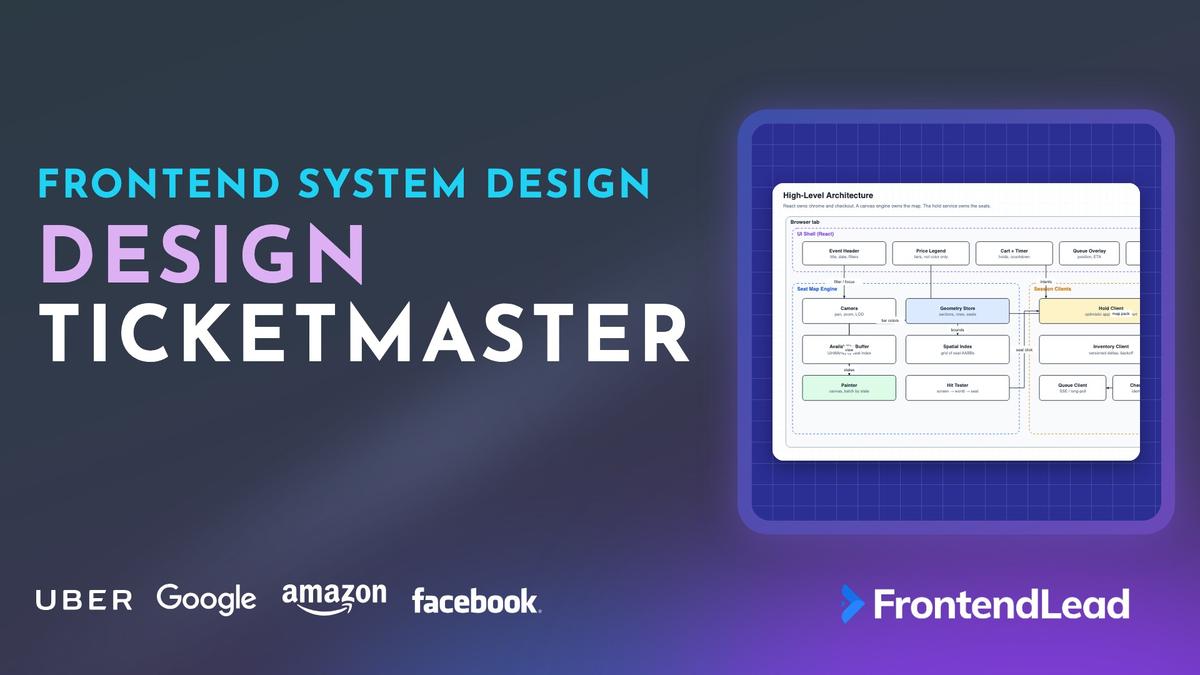
We’ll walk through the frontend system design for Ticketmaster: a ticket marketplace that shows a live seat map for a 20,000-seat arena, lets you hold seats before you pay, and stays fair when 100,000 people open the page at 10:00 AM. You’ll see why the map is a canvas with its own hit tester instead of 20,000 DOM nodes, how a hold is applied on the client before the server answers, why the countdown uses the server’s clock, and how a waiting room keeps the seat map off the network until a signed admit token exists.
This is not a seating chart printed on a poster. A static SVG of an empty venue is a weekend project. Ticketmaster is the version where the interviewer says “assume Madison Square Garden, an on-sale that melts the site, and two people clicking the last seat in the row”, and every shortcut from a calendar picker or a movie-seat grid stops working.
Problem Statement
Design the frontend for a ticket marketplace like Ticketmaster.
Requirements:
- A zoomable seat map of a large venue, colored by price tier and live availability
- Users can hold seats for a few minutes, see a countdown, and release them
- Checkout converts a live hold into an order; two people cannot buy the same seat
- Inventory updates while the map is open, without reloading the page
- A waiting-room queue before a hot on-sale, with an honest position
- An accessible way to pick a seat that does not depend on seeing the canvas
Describe the client architecture, the seat-map renderer, the hold protocol, and how the checkout race stays fair.
Interviewers are checking three things. Can you separate static geometry from live availability? Can you explain how a click finds a seat among 20,000 without walking the list? And can you describe a hold that feels instant but still loses cleanly when someone else got there first?
Clarifying Questions
| # | Question | Interviewer’s Answer |
|---|---|---|
| 1 | How big is a large venue? | About 20,000 seats. Stadium tours can hit 60,000. Design for 20k and say what changes at 60k. |
| 2 | Do we sell general admission, reserved seats, or both? | Reserved seats. GA is a quantity picker, not a map. Mention it, then focus on reserved. |
| 3 | How long is a hold, and how many seats can one user hold? | Two to eight minutes. Cap at 8 seats. No extending forever. |
| 4 | Is there a waiting room before the on-sale? | Yes. 100,000 people can be in line. The map must not load until they are admitted. |
| 5 | Do we need resale, transfers, or the box-office back office? | Out of scope. Primary sale only. |
| 6 | Which devices? | Desktop and mobile web. Native apps consume the same APIs. |
Question 1 decides the renderer: 200 cinema seats can be DOM. 20,000 cannot. Question 3 decides the hold protocol: a short TTL means the UI is a countdown, not a reservation that lives forever. Question 4 is the load-bearing product constraint. If you fetch the seat map while 100,000 people wait, you leak inventory and melt the CDN at the worst possible moment.
Requirements
Functional
- Pan and zoom the venue. Zoomed out, show sections. Zoomed in, show seats.
- Filter by price tier, quantity, and wheelchair-accessible seats. Hidden seats do not accept clicks.
- Click a seat to hold it. The seat paints as yours immediately. A countdown starts when the server confirms.
- Release a seat, or lose it when the timer hits zero. Adjacent-seat rules (“don’t leave a single orphan”) are server-enforced.
- Checkout asks for payment against a live
holdId. A lost hold cannot check out. - While the map is open, sold and released seats update without a full reload.
- A waiting-room screen shows position and an estimated wait. Refreshing does not skip the line.
- A list picker, not only the canvas, can select any available seat.
Non-Functional
- 60fps while panning and zooming a 20,000-seat map on a mid-range laptop.
- Time to first useful map (sections visible) under two seconds after admit, on 4G.
- A hold round trip under 300ms at p95. The optimistic paint is instant; the confirmation is fast.
- Inventory freshness within two seconds during an on-sale when the tab is visible.
- The canvas is not the only way to buy. Keyboard and screen reader users complete the same purchase.
The 16.7ms frame budget is the same number that drives Figma. The difference is what moves. Figma’s document changes. A venue’s geometry does not. Almost every frame is a camera move over a buffer that already exists.
Napkin Math
| Metric | Estimate | Calculation | So what? |
|---|---|---|---|
| Seats on the map | 20,000 | MSG-scale arena | One DOM node per seat will jank on pan. |
| Availability memory | 20 KB | 20,000 × 1 byte | A Uint8Array. Not 20,000 objects. |
| Packed geometry | ~1.3 MB | 20k × 64 bytes (id, xy, section, row, tier) | Load once from a CDN. Never poll it. |
| Painted seats in view | ~800 | A zoomed section, not the bowl | Cull. Do not stroke 20k circles. |
| Pointer events while panning | 60–120 / sec | One per frame, more on a trackpad | Hit test is O(1) or O(log n), never O(n). |
| Naive poll fan-out | 10k rps | 20k open maps × 0.5 req/s | Need deltas, 304s, and a pause when hidden. |
| Hold TTL | 120–480 s | Product policy | UI is a countdown. Server expiry is the law. |
| Queue size | 100,000 | Hot on-sale | Do not open 100k inventory sockets. |
Architecture

The client has four jobs, and they do not share a state tree. React renders the chrome. A seat-map engine owns pixels and hit testing. Small clients talk to the queue, the inventory service, and the hold service. The hold service is the authority for who owns a seat right now.
| Layer | Owns | Runs on | Talks to |
|---|---|---|---|
| UI Shell | Header, filters, legend, cart, queue overlay, checkout form | React, main thread | Reads derived state, sends intents |
| Seat Map Engine | Camera, geometry, availability buffer, painter, hit tester | Canvas 2D (WebGL at 60k), main thread | Inventory client, hold client |
| Session Clients | Queue token, inventory version, optimistic holds, checkout | Main thread | Waiting room, inventory, holds, orders |
| Servers | Admit tokens, seat locks, paid orders | Your backend | CDN for the immutable map pack |
The important boundary is the same one Figma uses: the canvas never reads from React, and React never re-renders on pointermove. Filters and the cart subscribe to a hold store at a few Hertz. The map paints from typed arrays inside requestAnimationFrame.
“Geometry is a file. Availability is a byte per seat. A hold is a lease with a deadline. Checkout is just consuming a lease that has not expired.”
You can say that in the first two minutes and then spend the rest of the interview defending it. Most weak answers start with a Redux store of seat objects and a <Seat> component, and they never recover the frame budget.
Why not SVG or a seat component?
| Renderer | Good at | Breaks at |
|---|---|---|
| DOM / React seats | Free hit testing, easy a11y for a cinema | A few thousand nodes: layout and style on every pan |
| SVG sections + DOM seats | Crisp section outlines | Still too many elements once you zoom into a 400-seat section |
| Canvas 2D | 20k seats, batch fills, cheap camera | You own hit testing, text, and accessibility |
| WebGL | 60k-seat stadiums, GPU instancing | Overkill for 20k circles; mention as the upgrade |
Pick Canvas 2D for the interview. Say WebGL is how you would instance a stadium. The senior point is not the API. It is that paint and hit testing are functions of a camera plus two buffers, not a React tree.
Data Model

Split the world into things that never change during a sale and things that change every second. Mixing them is how candidates end up polling megabytes of coordinates.
type SeatState = 0 | 1 | 2; // 0 available, 1 held (anyone), 2 sold

interface PackedSeat {
  index: number;          // dense 0..N-1, key into the state buffer
  id: string;             // stable "112-A14" for APIs and a11y
  sectionId: string;
  row: string;
  label: string;
  x: number;              // venue space, meters or arbitrary units
  y: number;
  tierId: string;
  accessible: boolean;
}

interface VenueMap {
  venueId: string;
  revision: number;       // bump when the building is renovated
  sections: Section[];
  seats: PackedSeat[];
  stage: readonly Point[];
}

interface AvailabilitySnapshot {
  eventId: string;
  version: number;
  states: Uint8Array;     // length === seats.length
  sectionLeft: Map<string, number>;
}

interface Hold {
  holdId: string | null;  // null while the POST is in flight
  seatIndexes: readonly number[];
  expiresAt: string | null;
  clientToken: string;    // idempotency key, minted before the request
  status: "pending" | "confirmed" | "lost";
}

interface QueueSession {
  queueId: string;
  ahead: number;
  etaSec: number | null;
  admitToken?: string;
  admitUntil?: string;
}
Four choices are worth defending.
Dense indexes, not seat ids, in the hot path. Paint, cull, and merge walk integers. The string id exists for the network and for the accessibility list. A hash map of "112-A14" on every frame is how you miss 60fps.
One byte per seat. Available, held, sold. “Held by me” is not a fourth inventory state. It lives on the local Hold. That way a poll that says “held” does not paint your own seat as taken by a stranger.
Client-minted hold tokens. Generate a UUID before the click handler returns. The optimistic paint and the POST share it. A retry is the same hold, not a second one.
Queue state is a gate, not a decoration. No admitToken, no geometry fetch, no inventory snapshot. The map pack is public-ish once you have the URL, so the token also belongs on inventory requests as a short-lived bearer.
Seat Map Deep Dive

Treat the map the way Figma treats a canvas. Input writes camera or selection. A frame scheduler paints. Nothing in React runs at pointer rate.
Camera and level of detail
Venue space is a 2D plane with the stage near the origin. The camera is a pan and a zoom, identical to Figma’s:
type Camera = { x: number; y: number; zoom: number };
Screen to venue is venue = camera.xy + screen / zoom. Zooming toward the pointer keeps the venue point under the cursor fixed, with zoom clamped to roughly 0.15 to 24. One constant drives level of detail: the seat LOD threshold, the zoom at which a seat renders at least 24 CSS pixels across.
Below the seat LOD threshold, do not draw seats. Draw section polygons, filled by the cheapest available tier in that section, or by a heat of sectionLeft / sectionCapacity. Labels are the section name and a remaining count. Above the threshold, draw seats in the viewport plus a small prefetch ring.
This is the mobile-versus-desktop decision hiding in the camera. A phone starts at section LOD because a 20,000-seat bowl does not fit readable seats on a 390-pixel screen. A desktop can open at a wide section view too, but the first click on a section zooms to seat LOD instead of navigating to a new page. Same engine, different starting camera and a different chrome around it.
The two buffers
At boot, after admit, fetch the map pack from the CDN and decode it in a worker into Float32Array positions and parallel arrays for section, tier, and flags. Fetch the availability snapshot next. The snapshot is the only thing that will be rewritten.
interface MapBuffers {
  x: Float32Array;
  y: Float32Array;
  section: Uint16Array;
  tier: Uint8Array;
  flags: Uint8Array;      // bit 0 = accessible
  states: Uint8Array;     // rewritten by inventory merge
  mine: Uint8Array;       // 1 if this client’s live hold
}
The inventory merge applies a delta to these buffers and returns the venue-space rect that needs repainting, or nothing. Its rules are explicit:
- Sold sets the state to sold and clears
mine. Sold always wins. - Held sets the state to held, except for seats in our own confirmed hold.
- Released sets the state to available, except for seats already sold.
Every changed seat expands the dirty rect, so the painter repaints one region per poll, not one region per seat.
A late release after a sale is the kind of race a merge has to be pessimistic about. Sold is sticky. Held-by-others must not clobber mine.
Painting a frame
Group visible seats by (state, tier, mine) and fill one path per group. Twenty thousand arc calls with a new fill each time will miss the frame. Eight to twelve batched paths will not.
The frame scheduler works like Figma’s. Seat invalidations union into a dirty rect, and camera changes set a flag. Both schedule at most one requestAnimationFrame. Each frame applies the camera as a canvas transform and clears the visible venue rect. Below the seat LOD it paints section polygons. Above it, it asks the spatial grid for seats in the viewport plus a prefetch ring and paints them as batched paths, one per (state, tier, mine) group. Selection rings and the hold pulse go in an overlay pass. If work is still pending at the end, it schedules another frame.
Size the canvas backing store to CSS size times devicePixelRatio, and rebuild it when the window moves to another monitor. Stroke width is in venue units (1 / zoom) so a 1px ring stays 1px as you zoom. Text for row letters is an overlay in screen space, not venue space, or it becomes unreadable.
Hit testing
A click among 20,000 seats cannot walk the array. Seats sit on a near-regular grid inside a row, so a uniform spatial hash is enough. Curved arena rows still fall in cells; you test the cell and its eight neighbors. Use an R-tree of section polygons only for the zoomed-out case, where the hit target is a section, not a seat.
The hit tester takes a screen point and the camera and returns a discriminated result: a seat index, a section id, or nothing. If a seat would render smaller than 24 CSS pixels, it tests section polygons and returns the section. Otherwise it asks the grid for seats within a small radius, skips seats that are taken (unless they are ours) or hidden by a filter, and returns the nearest one within the tolerance.
Three rules make this feel like a product instead of a demo.
LOD is a hit-test rule, not only a paint rule. If a seat is 8 CSS pixels wide, a tap is a coin flip. Return the section and either zoom to it (desktop) or open the section’s seat list (mobile). Do not pick a seat the user cannot see.
Filters change hit testing. A hidden tier is not clickable even if it is still drawn as a ghost. Ghosts are for “this is sold, that is the shape of the row”, not for mis-taps.
Use pointerup to commit, pointermove to hover. Hover can highlight a seat at 60Hz from the same hit tester. The hold POST happens on click or tap-up, after a slop check so a pan does not steal a seat.
GPU picking (render seat ids as colors, readPixels) works and is a fine fallback for irregular club seating. Mention it. Do not lead with it. A grid lookup is cheaper and does not stall the GPU.
Desktop map versus mobile map
Same buffers, same painter, different shell.
| Desktop | Mobile | |
|---|---|---|
| First view | Whole bowl at section LOD, filters in a side column | Simplified section map or a section list |
| Entering seats | Click section → zoom on the same canvas | Tap section → full-screen seat sheet, larger targets |
| Cart | Always visible, countdown in the rail | Bottom sheet, countdown in a sticky bar |
| Pan / zoom | Wheel, trackpad, space-drag | One-finger pan, pinch zoom, touch-action: none |
| Missed tap | Hover preview before click | Undo toast for two seconds after an accidental hold |
Do not ship a second renderer for mobile. Ship a second camera preset and a seat list that is also the accessibility tree. The list is how you keep targets at 44px when a row of 30 seats cannot be 44px each on a phone.
Inventory Polling
The map is live, but it is not a chat app. Seats flip from available to held to sold. They do not stream at 20Hz. Polling a versioned delta is the right default. A WebSocket that emits one message per seat will drown a 20,000-person on-sale and gives you almost no extra freshness.
interface AvailabilityDelta {
  version: number;
  sold: number[];
  held: number[];
  released: number[];
  sectionLeft?: Readonly<Record<string, number>>;
}
The poller runs only while the user is admitted. Each cycle requests availability?since=<version> with the admit token. A 304 means nothing changed. A 200 delta goes through the merge, the version advances, and the dirty rect is invalidated. Then it sleeps: about 2 seconds while the on-sale is hot and the tab is visible, about 8 seconds otherwise. While the tab is hidden it doesn’t poll at all, and it fires one request immediately when the tab becomes visible again. A 410 means the version is too old for a delta, so it refetches the full snapshot.
Three details separate a working poller from a site-melting one.
Pause when hidden. visibilitychange is the difference between 20,000 polite clients and 20,000 tabs polling from someone’s pocket. On focus, request immediately so a returning user does not see a stale bowl.
If-None-Match / 304. Most polls change nothing. An empty 304 is cheaper than a JSON body of empty arrays, and a CDN in front of inventory can serve it.
Do not animate every flip. Union dirty seats and paint once. A pulse on your own hold is fine. A ripple across 400 seats that just sold is noise and costs frames.
If the interviewer pushes for push, offer a middle path: one SSE per event that publishes { version } only. Clients that are behind fetch the delta. You get wake-ups without a firehose of seat ids.
Optimistic Holds and the Expiry Countdown

A hold is a short lease. The product promise is “these seats are yours while you pay.” The engineering promise is “the server decides, and the client is allowed to guess for a few hundred milliseconds.”
On click:
- Hit-test. If the seat is not available, ignore.
- Mint
clientTokenif this is a new hold, or reuse the token if you are adding a seat to one. - Set
mine[i] = 1,status = "pending", paint immediately, announce “Holding section 112, A14.” POST /holdswith the seat ids and the token.- On 201, store
holdIdandexpiresAt, switch toconfirmed, start the countdown from the server time. - On 409, revert
mine, mark those indexes taken, announce the loss, offer the next available neighbors if you have them cached.
The hold controller owns the local Hold and is the only code that writes mine.
- Optimistic paint: mark the seats as mine, set status to pending, repaint, and announce the hold through a live region.
- Request:
POST /api/holdswith the event id, seat indexes, and client token, with the token also sent as theIdempotency-Key. - 201: store the hold id and
expiresAt, set status to confirmed, and start the countdown. The clock offset comes from the response’sDateheader minus local time. - 409: the body lists the seats someone else got. Unmark ours, mark those as held, set status to lost, announce it, and repaint.
- Any other failure: unmark, set status to lost, and offer a retry with the same token.
The countdown is where juniors lose the plot. setTimeout(120_000) from the moment you clicked is wrong. The request took 180ms. The laptop clock is 12 seconds off. The user backgrounded the tab and iOS froze timers. The server still expires the hold at expiresAt.
Drive the label from expiresAt minus server-corrected now on a 250ms tick while visible, and also on visibilitychange. When the number crosses zero, drop mine locally and let the next poll confirm. Do not “pause” the timer in the background. A hold is not a video. It is a lock on inventory.
Extending the hold is a product choice. If you allow one extension, it is POST /holds/:id/extend and a new expiresAt. Do not silently refresh on every keystroke in the checkout form. That is how a hold becomes a hoard.
The Checkout Race
The race is at hold time, not at pay time. Once Priya has a confirmed hold, Marco cannot hold that seat. Checkout is a second, quieter race: Priya must pay before expiresAt, and the order POST must be idempotent because double-clicks and flaky networks retry.
The checkout client posts the hold id and payment method with a stable idempotency key and the admit token. It maps responses to typed outcomes: success returns the order, 410 means the hold expired, 409 means the hold conflicts with the current inventory, and anything else is a generic checkout error the form can retry with the same key. Each outcome has its own UI, so an expired hold never shows up as “payment failed”.
Show the remaining time on the pay button. Disable it in the last second rather than letting a 410 land as a generic failure. If the hold expires mid-form, keep the filled address (that is not inventory) and kick the user back to the map with those seats marked taken. Do not clear the form. Do not pretend the order is pending.
Fairness is the waiting room plus first-hold-wins. It is not a coin flip at checkout, and it is not “whoever’s card processor is faster.” Say that. Interviewers are listening for whether you accidentally designed a system where two people can pay for one seat.
Queue and Waiting Room UX

A hot on-sale is a thundering herd. The waiting room exists so the inventory service and the map CDN see a trickle of admitted buyers, not 100,000 parallel snapshot requests.
The frontend’s job is narrower than people think. You do not implement a fair queue in the browser. You display a position the server already assigned, keep a socket or long-poll alive, and refuse to load privileged data without a signed token.
- Landing on the event page hits
POST /queueand gets{ queueId, ahead }. No map pack. - Subscribe with SSE or a 10s long-poll. Show
aheadand an ETA only if the server sends one. If it sends no ETA, say “You are in line” rather than inventing a bar. - A fake progress bar that jumps backward is how you get support tickets. An honest count that ticks down in jumps of 200 is fine.
- On admit, you receive
admitTokenandadmitUntil. Persist them insessionStorageso a refresh does not rejoin the back of the line during the admit window. - Every inventory, hold, and checkout call sends the token. A 401 means the window lapsed; send the user back to the room.
Refreshing must not be a cheat. The queueId is a cookie or a signed browser token bound to a device, not a query parameter people pass around. Opening a second tab shares the same session. Opening a second browser is a second place in line, and the product may choose to collapse those on login.
Do not prefetch the 1.3 MB map pack while queued “to feel fast.” That is 100,000 unauthenticated downloads and a look at the seating bowl before the user is allowed to buy. Prefetch the waiting-room shell and the fonts. Nothing else.
Price Tiers
A tier is a price and a legend entry, not a color. Color is the fast path for sighted users on a 20,000-seat bowl. It is not a unique identifier.
- Each tier has a swatch and a hatch or mark (dots, stripes, a letter) so “blue versus teal” is not the only signal.
- The filter chip lists the price, not only the name. “$89 · Lower bowl” beats “Tier 2.”
- Filtering removes seats from hit testing and can ghost them or hide them. Pick one and keep it. Ghosting preserves the shape of the row, which helps people sit together.
sectionLeftis aggregated by the server per tier if you filter. Do not compute “cheapest available in this section” by scanning 20,000 bytes on every poll if the snapshot already has the counts.
Dynamic pricing that changes while you look is a product landmine. If prices can move, they move on a version like availability, and a hold must freeze the price for those seats. The checkout request sends the holdId, not a client-side price, so a stale label cannot underpay.
API
REST for request-response. SSE or long-poll for the queue. No per-seat socket.
// Waiting room
POST /api/queue                         // { eventId } -> { queueId, ahead }
GET  /api/queue/:id/stream              // SSE: { ahead, etaSec } | { admitToken, admitUntil }

// Static + catalog
GET  /api/events/:id                    // title, when, tiers, holdTtlSec, maxHoldSeats
GET  /cdn/venues/:id/map.@rev.bin       // Cache-Control: immutable

// Live inventory (admit token required)
GET  /api/events/:id/availability       // full snapshot { version, states, sectionLeft }
GET  /api/events/:id/availability?since=v
                                        // 200 delta | 304 | 410 if since is too old

// Holds and checkout
POST /api/holds                         // Idempotency-Key, { seatIndexes }
                                        // 201 | 409 { taken } | 429
POST /api/holds/:id/extend              // optional, once
DELETE /api/holds/:id                   // release
POST /api/checkout                      // Idempotency-Key, { holdId, paymentMethod }
                                        // 201 { orderId } | 410 expired | 409
If since is older than the server’s journal, return 410 and have the client fetch a full snapshot. Do not replay 40 minutes of deltas on a laptop that slept. The snapshot is 20 KB. Take it.
Idempotency keys on hold and checkout are mandatory. The hold key is minted on first click and reused for add-a-seat and retries. The checkout key is minted when the pay button is first pressed, not on every render.
Optimizations
| Problem | Technique | Effect |
|---|---|---|
| 20k DOM seats | Canvas + typed arrays | Pan stays on the compositor / one 2D context |
| Painting the whole bowl | Section LOD, then viewport cull | Hundreds of seats, not 20,000 |
| O(n) hit testing | Uniform grid, section R-tree when zoomed out | A handful of candidates per tap |
| React on every pointer | Camera in the engine, cart at ~4Hz | No reconciliation during pan |
| Polling 20k maps | Deltas, 304, pause when hidden | Quiet when nothing sells |
| 100k on-sale hits | Waiting room, no map until admit | Inventory sees a trickle |
| Retry creating two holds | Client token + Idempotency-Key | One lease per click |
| Huge section list | Virtualize the accessible list | Only visible rows mount |
Decode the map pack off the main thread. A 1.3 MB binary parse can exceed one frame. The first paint can be section polygons only, which are a few hundred points, then seats fill in. Users accept a bowl that gains dots. They do not accept a white screen.
Handling Edge Cases
- Two tabs, one user. Share the hold in
sessionStorageor aBroadcastChannel. The second tab must not mint a second token and steal the seats from the first. One hold per account is a server rule; the client should still not fight itself. - Hold expires during checkout. 410. Keep the form. Mark the seats taken. Offer neighbors from the last snapshot.
- Clock skew. Use the
Dateheader to offset. Never trustexpiresAtminus rawDate.now()on a machine that is minutes off. - Tab frozen. Timers lie. On
visibilitychangeto visible, recompute remaining time and fetch inventory immediately. - Partial hold. User asked for four together, two are gone. The server either rejects the whole set (prefer this) or returns the subset. The client must not silently keep two of four without saying so.
- Orphan-seat rules. The server rejects a hold that leaves a single seat stranded in a row. Show the reason. Do not flash a generic 409.
- Stale delta cursor. 410 on
?since=→ full snapshot. Common after a laptop sleeps. - Admit token expires while browsing. 401. Back to the waiting room. Do not keep a zombie map that can still POST holds.
- Retina / DPR change. Resize the backing store. Geometry is in venue space and does not care.
- Canvas context loss. Rare on 2D, real on WebGL. Rebuild from the buffers. The buffers are the source of truth, not the pixels.
Accessibility and Security
Accessibility
The canvas is one bitmap to a screen reader. You cannot expose 20,000 seats on it, and you should not try. Build a real picker next to it. That picker is not a fallback. It is the other half of the product.
- A filterable list: section, row, price, accessible-only. Virtualized. Each row is a button with the full name: “Section 112, row A, seat 14, $89, wheelchair companion.”
- Arrow keys move along a row, Home/End to the ends, Page Up/Down between rows. The canvas selection and the list selection are the same
Hold. - The canvas element is a labeled widget: “Seat map, section 112. Use the seat list to pick, or zoom and click.” It is not
role="application"unless you truly implement the keyboard map. - Announce holds, losses, and expiry in
aria-live="polite". Expiry under 30 seconds can beassertiveonce, not every tick. - Color is never the only cue. Tiers have a hatch or a letter. Sold seats are empty circles, not a slightly darker green.
- Accessible seats are a bit in the map pack, not a PNG of a wheelchair. They appear in the default list filter when the user asks, and they have a distinct mark on the canvas.
- Respect
prefers-reduced-motion: no pulsing hold, no animated zoom fly-to. Instant camera set is fine.
Security
- The admit token is a short-lived signed JWT, sent as a header, not in a query string that ends up in logs and Referers.
- Hold and checkout check the token and the account. A leaked map pack does not let you hold seats.
- Idempotency keys are required. Without them a double-submit is two charges or two holds.
- Seat ids in the POST are validated against the event. Do not trust client prices, client
expiresAt, or a client-supplied “this is accessible.” - Rate-limit holds per account. A script that taps every seat in a section is not a user.
- The waiting-room cookie is
Secure,SameSite=Lax, and not useful without the server-side queue record.
What a Strong Answer Sounds Like
| Topic | Junior answer | Senior answer |
|---|---|---|
| Seat map | “A grid of components” | Canvas, packed buffers, section LOD, grid hit test, 24px rule |
| State | One store of seat objects | Immutable geometry, a byte of availability, a local hold lease |
| Hold | Disable the seat on click, POST, wait | Optimistic paint, idempotent POST, revert on 409, server expiresAt |
| Live inventory | “WebSocket every seat” | Versioned deltas, 304, pause when hidden, SSE version wake-up if pushed |
| Fairness | Whoever checks out first | Waiting-room token, first hold wins, checkout only consumes a live hold |
| A11y | “Add alt text to the canvas” | The list is the picker; canvas is a visual shortcut |
For the canvas and hit-testing machinery this map borrows, see Design Figma. For live updates that must not lie after a reconnect, see Design Uber.
Conclusion: How to Design Ticketmaster
Start with the split. The building is a file you download once. The inventory is a byte per seat you merge from versioned deltas. The hold is a lease the client may paint early and must drop the instant the server says no, or the clock says zero.
Then treat the map like a small graphics engine: a camera, a level-of-detail rule, a grid for hit testing, and a painter that batches by state. React owns the cart, the countdown label, the waiting room, and the seat list that makes the product usable without seeing pixels. If you can explain why a zoomed-out tap returns a section, why setTimeout(120000) is the wrong countdown, and why the map pack does not load in the queue, you have shown the interviewer you understand both the canvas and the marketplace.