
Design Notion – Frontend System Design
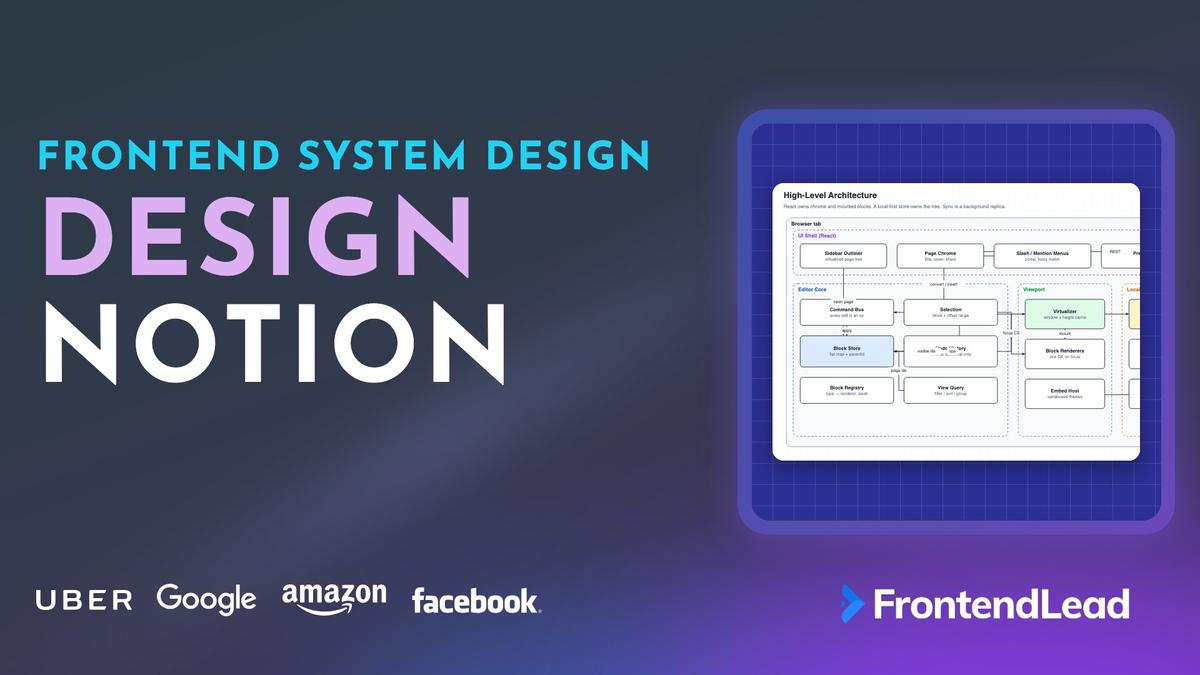
We’ll walk through the frontend system design for Notion: a block editor whose pages nest inside pages, whose tables are filtered views over those pages, and whose clients keep working on a plane. You’ll see why the document is a flat map of blocks instead of one contenteditable, how a slash menu converts a block without leaving junk, how a 4,000-block page stays at 60fps, and how offline edits converge with a hybrid of last-writer-wins and a text CRDT.
This is not the rich text editor question, and it is not Google Docs. Docs is one character sequence. Figma is a scene graph on a GPU canvas. Notion is the version where the interviewer says “everything is a block, including pages and databases, and the user just spent six hours on a flight.” Character OT does not model a toggle that contains a board. A single contenteditable does not virtualize.
Problem Statement
Design the frontend for a collaborative workspace like Notion.
Requirements:
- Pages made of nested blocks: text, headings, lists, to-dos, toggles, images, embeds, and other pages
- A sidebar outliner that opens any page in the workspace
- A slash menu to insert or convert blocks, plus @-mentions
- Databases: table, board, calendar, gallery, and list views over the same set of pages
- Real-time multiplayer with live carets, plus full offline editing that syncs later
- Long pages (thousands of blocks) that stay responsive, and workspaces with tens of thousands of pages
Describe the client architecture, the block model, the editor, virtualization, and the offline sync protocol.
Interviewers are checking four things: a tree of typed blocks, a long page that does not break the caret, when LWW is enough versus a CRDT, and a database as a query rather than a second copy of the rows.
Clarifying Questions
| # | Question | Interviewer’s Answer |
|---|---|---|
| 1 | One workspace, or a multi-tenant product? | One workspace per team. Permissions are per page. |
| 2 | How big is a large page? A large workspace? | 4,000+ blocks on a page. 20,000 pages in a workspace. Some databases have 50,000 rows. |
| 3 | How many concurrent editors per page? | Usually 1–15. A wiki page might have 50 viewers and two writers. |
| 4 | Offline? | Yes. Hours, not seconds. The plane test. Pending edits must survive a refresh. |
| 5 | Do we need public share links, comments, AI, or formulas? | Comments if there is time. Formulas and AI are out of scope. Mention share links under security. |
| 6 | Which browsers and devices? | Desktop Chrome, Safari, Firefox, Edge. Mobile web is a simplified editor, not a second product. |
Question 2 decides virtualization and where filters run. Question 4 is the fork from Figma: a short unacked queue is not enough. You need a local replica. Questions 3 and 4 together pick the sync model: a handful of writers, some disconnected.
Requirements
Functional
- Create, indent, outdent, convert, drag-reorder, and delete blocks. Enter splits. Backspace at offset 0 merges with the previous block.
- Slash menu: type
/, fuzzy-filter block types, convert an empty block or insert a sibling. - @-mention people and pages.
[[or a dedicated picker opens a page search. - Nested pages in the outliner. Drag a page onto another page to reparent it.
- Databases with table, board, calendar, gallery, and list layouts. A cell edit is a property write on a page.
- Embeds and bookmarks from an allowlist. Images and files upload to a CDN.
- Multiplayer carets and selections. Offline editing that merges on reconnect.
- Undo and redo that only undo your changes, including changes made offline.
Non-Functional
- 60fps while typing, scrolling, and dragging, even on a 4,000-block page.
- Time to first editable paint under a second for a cached page, a few seconds for a cold page.
- Bounded memory: mounted DOM stays flat no matter how long the page is.
- No lost work: ops sit in IndexedDB until the server acknowledges them.
- Keyboard-first editing. Screen reader access to the outliner, the page title, and the current block.
60fps is a 16.7ms budget. Mounting 4,000 React trees or re-parsing a workspace-wide CRDT on each insert will blow it. The design follows from that number and from the plane test.
Napkin Math
| Metric | Estimate | Calculation | So what? |
|---|---|---|---|
| Page memory | ~2–4 MB | 4,000 blocks × 0.5–1 KB of props and text | The data fits. The DOM of 4,000 trees does not. |
| Mounted blocks | ~30–40 | Viewport ~900px / ~28px, plus overscan | Virtualize. Everything else is a spacer. |
| React commit if fully mounted | tens of ms | 4,000 components × reconcilers, layout, paint | A keystroke would hitch. Window the list. |
| Workspace catalog | ~10–20 MB | 20,000 pages × ~0.7 KB of title + parent + icon | The outliner can hold metadata. Do not prefetch every page body. |
| Database, 50k rows | ~25 MB+ if fully loaded | 50,000 × ~0.5 KB of properties | Filter and page on the server. The view is a window. |
| Typing ops | ~5–10 / sec | One insert op per grapheme, or a short coalesced run | Easy for a socket. Persist every op to IDB first. |
| Presence | ~20 Hz / user | Throttled caret + selection | Ephemeral. Never journal it. |
Architecture

The client is a local-first replica with React chrome. React mounts blocks; it does not own them.
| Layer | Owns | Runs on | Talks to |
|---|---|---|---|
| UI Shell | Outliner, page chrome, menus, avatars | React, main thread | Reads projections, sends intents |
| Editor Core | Block store, selection, commands, undo, view queries | Main thread (typed store) | Virtualizer and sync engine |
| Viewport | Window of mounted blocks, embed host | React + one contenteditable | Reads visible ids and focus |
| Sync | CRDT/LWW engine, op queue, presence | Main thread + IndexedDB | Sync server, workspace API, CDN |
The senior point is the boundary: the store applies an op and notifies subscribers. The focused block re-renders. The other 3,960 blocks do not exist in the DOM. TypeScript is enough. Wasm is an upgrade path for a 50,000-row database with client-side formulas, not the opening move.
“React renders the sidebar and the blocks that are on screen. The document is a flat map in a local store that also writes every op to IndexedDB.”
Why not one contenteditable?
| Approach | Good at | Breaks at |
|---|---|---|
One document contenteditable |
Native IME, selection, screen readers for plain text | Embeds, databases, virtualization, per-block permissions |
| Every block always editable | Simple mental model | Thousands of editing hosts, extra layout, extra a11y trees |
| One CE on the focused block | IME and caret stay native, the rest is cheap | You own cross-block selection and copy |
That last row is the design. Unfocused blocks are static React. Focus moves the contenteditable host. Cross-block selection is a (anchor, focus) pair of { blockId, offset }. Copy writes a custom HTML payload plus plaintext.
Data Model

The workspace is a flat map of blocks keyed by id. The tree is not stored as nested arrays. Each block points at its parent and carries a fractional index that orders it among its siblings. A page is a block whose children are the page body. A child of type page is a nested page, which is why the outliner and the editor share one store.
type BlockId = `${string}:${number}`; // sessionId:counter, unique offline

type BlockType =
  | "page" | "database" | "paragraph" | "heading"
  | "bulleted" | "numbered" | "todo" | "toggle"
  | "quote" | "callout" | "code" | "divider"
  | "image" | "bookmark" | "embed"
  | "column_list" | "column";

interface Block {
  readonly id: BlockId;
  readonly type: BlockType;
  parentId: BlockId | null;
  index: string;                 // fractional, e.g. "a0V"
  props: BlockProps;             // LWW per key
  text?: TextCrdt;               // only text-capable types
  tombstone: boolean;
}

interface BlockProps {
  title?: string;
  level?: 1 | 2 | 3;
  checked?: boolean;
  color?: string;
  icon?: string;
  collapsed?: boolean;
  embedUrl?: string;
  schema?: readonly PropertyDef[];
}

interface PropertyDef {
  readonly id: string;
  readonly name: string;
  readonly type: "title" | "status" | "date" | "person" | "relation" | "select";
}
Five choices in that model are worth defending.
Flat map, not a nested tree. Every op targets (blockId, field). Applying one is a hash lookup. Moving a block under a new parent is two property writes (parentId, index), not a splice out of one array and into another. The same reason Figma uses a flat node map.
Client-generated ids. sessionId:counter lets you create a block and point at it in the same batch, offline, with no round trip. The server never hands out ids.
Fractional indexes for order. Drop a block between "a0" and "a1" by generating a key between them. Concurrent reorders of different siblings do not conflict. Two inserts at the same slot get different keys; if they collide, the id breaks the tie.
The key is a plain string that sorts lexicographically. Between "a0" and "a1" you get something like "a0V". Before the first sibling or after the last, the key extends in that direction. Use an existing fractional indexing library. Inventing the alphabet is a week of edge cases for no product value.
Properties are LWW. Text is a CRDT. Color, type, checked, and icon are single values: the later HLC wins. Whole-string LWW on a paragraph deletes someone’s keystrokes. That field is a per-block sequence CRDT (Yjs, Automerge, or a small RGA). Marks are annotations on that sequence, not HTML.
Tombstones, not physical deletes. Mark the block removed, drop late writes, and garbage-collect after a horizon the journal still covers.
A page’s title is props.title on the page block, not the first heading in the body. The outliner, the tab, and the database title column all read that one field.
Outliner, Slash Menu, and Editing
The sidebar is a virtualized tree of page and database blocks. Paragraphs never appear there. Expand state is local UI. Opening a page loads that page’s body; titles and parents already sit in the catalog from bootstrap.
Reordering in the outliner is the same op as dragging a block on the page: new parentId plus a new fractional index. The server rejects a reparent that would make a page its own ancestor. Last-writer-wins on parentId is not safe by itself: applying both “A under B” and “B under A” creates a loop.
Slash menu
The slash menu is a command palette over the block registry, not a special block type.
- Trigger when the user types
/at the start of a text block, or after a whitespace, and the query is still on the same line. - Fuzzy-match against each type’s name, aliases, and keywords (
todo,checkbox,[]). - Arrow keys move, Enter commits, Escape dismisses and leaves the
/text, which the user can delete. - If the current block is empty (or contains only the slash query), convert its type and consume the query.
- If it already has content, insert a sibling after it and move the caret there.
Committing a pick is a pure function from the caret, the query, and the chosen type to a list of ops. If the current block is empty, or holds nothing but the slash query, the result is one set op that changes the block’s type. Otherwise it is two ops: create a sibling of the chosen type with a fresh client id and a fractional index right after the current block, then move the caret to offset 0 of the new block. Returning ops instead of mutating keeps the slash menu on the same path as every other edit, so it syncs, persists, and undoes for free.
Conversion is a property write. The todo renderer mounts a checkbox; the text CRDT stays put. That is why /h1 on an empty line does not leave a blank paragraph. Always-insert creates junk.
Render the menu in a portal against the caret rect so it is not virtualized away mid-keystroke. The same portal hosts @-mentions. A mention is a CRDT atom with a userId or pageId, rendered as a chip, not a bolded string. Deleting it is one delete, not six backspaces that leave a dangling @.
Enter, backspace, indent
- Enter in the middle of a paragraph splits the CRDT at the caret, creates a sibling with the right half, and puts the caret at offset 0 of the new block.
- Enter on an empty list item or to-do converts it back to a paragraph (or outdents one level). That is how you leave a list.
- Backspace at offset 0 merges the current text into the previous text-capable sibling and deletes the current block. If the previous sibling is not text (an image, a database), just delete the empty block.
- Tab / Shift+Tab change
parentIdto the previous sibling (indent into it) or to the grandparent (outdent), and assign a new index. Toggles and lists are ordinary parents.
Prevent beforeinput for insertParagraph and for deleteContentBackward at offset 0. The command bus applies the ops. The DOM does not get a vote.
Virtualized Pages

A 4,000-block page cannot mount 4,000 components. Keep about 30 to 40 mounted, hold the scrollbar with spacers, and never unmount the block the user is typing in.
- Flatten the visible outline. A collapsed toggle contributes one row. An expanded toggle contributes itself plus its visible descendants, indented.
- Assign each row an estimated height from its type (paragraph 28, heading 40, image 160, embed 120, database peek 88).
- From
scrollTop, binary-search the prefix-sum of estimates to findwindowStartandwindowEnd. Add a four-block overscan. - Union that window with the focused block and its two neighbors. Those are pinned.
- Mount only the union. The top spacer is the sum of estimates above the window. The bottom spacer is the tail.
- After mount, read
getBoundingClientRectand write the real height intoheightCache. Rebuild the prefix sum. If the estimate was wrong, the spacer changes and the scrollbar stays honest.
The page virtualizer lives outside React. On scroll it binary-searches the prefix sum of heights for the first and last rows in the viewport, pads both by the overscan, and unions the result with the focused block’s neighborhood. If the bounds are the same as last time, it does nothing. Only when they change does it notify the viewport subscribers, so React re-renders on window changes, not on every scroll event.
Three rules keep this from fighting the editor.
Pin the focused block. Unmounting a contenteditable mid-composition aborts IME, drops the caret, and on some browsers commits a half-finished grapheme. The pin is not optional.
Do not virtualize tiny pages. Under about 80 blocks the window is the page. The extra math and the first-measure jump are worse than mounting everything.
Park loaded embeds. Recreating a YouTube iframe is a reload. Keep three or four hidden, keyed by block id, and re-slot them when they re-enter the window.
Restore scroll with blockId + offset, not scrollTop. Heights change when images load and when a teammate inserts above you. A pixel offset lands in the wrong place.
Offline Sync: CRDT and LWW

Most candidates say “we use CRDTs” and stop, or say “last-writer-wins” and lose concurrent typing. A Notion page is a tree of objects with a text sequence inside some of them. Those two shapes want two tools.
| Field | Tool | Why |
|---|---|---|
type, color, checked, icon, embedUrl, title |
LWW + hybrid logical clock | Single value. Concurrent writes are a choice, not a merge. |
parentId + index |
LWW + server cycle check | Reorder is a new key. Reparent needs a tree invariant. |
| Paragraph / heading / list text | Per-block text CRDT | Concurrent inserts must both survive. |
| Marks, mentions, links | CRDT annotations on that text | They ride the same sequence, so indexes stay valid. |
| Create / tombstone | Idempotent create, tombstone wins | A late edit on a deleted block is dropped. |
A full-workspace Yjs doc works. The costs are metadata per character, growing tombstones, and a snapshot that hurts at 20,000 pages. You do not need peer-to-peer convergence. You need a client that can go dark for four hours and merge with a server that already applied other people’s writes. OT on a tree is the other trap: OT for characters is well-studied, OT for “indent this toggle while someone converts it” is a research paper. Do not volunteer to write it.
Clocks
Every op carries a hybrid logical clock: max(localNow, lastSeen + 1) plus the session id as a tie break. Offline, localNow still moves, so Maya’s writes are not automatically older than Omar’s. The server also assigns a commit sequence for durability. Wall clocks alone let a wrong laptop clock win. Server sequences alone cannot order offline ops against each other, and undo becomes guesswork.
The sync client treats the two field kinds differently.
- Local op: apply to the store, append to the IndexedDB queue, and send it if the socket is open. For a property
set, also record the HLC and value in a pending map keyed byblockId.prop. - Echo of our own op: clear the pending entry if it matches. Nothing else changes.
- Remote property
set: if our pending write for that key has a newer HLC, ignore the remote op. Otherwise apply it. - Remote text op: always merge it into the block’s CRDT.
- Anything else (create, tombstone, move): apply it.
The unacked rule from Figma still applies for properties: if your pending LWW write has a newer HLC than the broadcast, ignore it. For text there is no ignore path. You merge.
Reconnect
- Open the socket with
lastHlc(or last commit seq) per page you have dirty or open. - If the journal still covers that point, the server streams the missed ops. Apply them, then send the pending queue.
- If the journal has compacted past that point, take a snapshot and rebase: apply the snapshot, then replay pending ops on top, dropping any whose target is now a tombstone.
- Show a short notice when a rebase drops work (“this block was deleted while you were offline”). Do not fail silently.
Write pending ops to IndexedDB before the in-memory apply returns. A crash can lose the last grapheme. It must not lose the last five minutes.
Undo
Undo is local inverse ops. Apply the inverse as a new forward op with a new HLC so it syncs. Remote ops never enter your stack. Group a gesture into one entry. Offline undo works because the inverses sit in the same IDB queue.
Databases Are Filtered Views

A database is a collection of pages plus a schema. Every layout is a query over that collection, not a cloned table, board, and calendar.
interface DatabaseView {
  readonly id: string;
  readonly databaseId: BlockId;
  readonly layout: "table" | "board" | "calendar" | "gallery" | "list";
  readonly filter: FilterExpr;             // { and: [ { prop: "status", op: "eq", value: "Doing" } ] }
  readonly sorts: readonly { prop: string; dir: "asc" | "desc" }[];
  readonly groups?: { prop: string };      // board columns, calendar is grouped by date
  readonly visible: readonly string[];
}
Projection is a pure function of the database, the view, and the page map: look up each page id, drop missing ones, keep pages whose props pass the filter expression, and stable-sort by the view’s sorts. Stable matters. Two rows with the same status must not swap places every time a teammate edits an unrelated cell.
A cell edit is set(pageId, props.status, "Done"). The table moves a row, the board moves a card, the calendar keeps the same day and changes a color. There is one write. Linked databases are more views, stored as blocks on other pages, pointing at the same databaseId. They do not copy pages.
Small collections (already in the replica) run the query on the client. The table uses the same virtualizer as the page. That is the data table problem with a CRDT behind it. Large collections do not download 50,000 rows. Send the view to the server, keep a windowed cursor, and still write the page on edit.
Board columns are group by status, not stored lists of ids. A stored list makes every move a conflict-prone splice. A group query makes a move one LWW write on status (and maybe index inside the column). Calendar is the same idea: due is a date, the month grid is a projection. Creating a row creates a page. That is why a row opens as a full page with its own body, loaded lazily.
Embeds and Bookmarks
Pasted URLs are untrusted data, never HTML.
- Bookmark. An unfurl service fetches Open Graph tags server-side, strips markup, and returns title, image, description. Render with
textContentand an<img>. No iframe. - Allowlisted embed (YouTube, Figma, Twitter). Resolve via oEmbed on the server. The iframe
srcis the provider URL, not the user string.sandboxwithoutallow-same-originunless the provider cannot function, plus a CSPframe-srcallowlist. - Unknown URL. Stay a bookmark. Iframing an arbitrary origin is XSS and a cookie leak.
- Files and images. Address by content hash, signed CDN URL, short TTL. The block stores the hash.
Use the provider’s aspect ratio so the height estimate is close. Pause offscreen media with an IntersectionObserver. The embed LRU park keeps a scrolled-away YouTube player from restarting at 0:00. Paste is a parser: HTML becomes blocks, a custom MIME type round-trips a Notion slice, a PNG becomes an image block. Never insertHTML.
Presence
Carets, selections, follow-mode, and avatars are not document state. Same socket, separate channel, ~20 Hz, gone when the socket dies. They do not enter IndexedDB, undo, or the journal. A caret in the CRDT comes back as a ghost after reload.
type Presence = {
  readonly userId: string;
  readonly name: string;
  readonly color: string;
  readonly pageId: BlockId;
  blockId: BlockId | null;
  offset: number;
  selection?: { start: Caret; end: Caret };
  updatedAt: number;
};
Draw a remote caret in the block’s local coordinates. If that block is not mounted, show “Omar is below” in the chrome instead of mounting a row just to draw a cursor. Follow-mode scrolls to Omar’s blockId + offset. Yjs awareness is fine if the text CRDT is already Yjs. Still do not persist it.
API
REST for request-response. One WebSocket per workspace for ops and presence. Pages load lazily; the catalog is a separate cacheable payload.
// REST
GET  /api/workspaces/:id                 // name, permissions, root page ids
GET  /api/workspaces/:id/catalog         // titles, parents, icons for the outliner
GET  /api/blocks/:id                     // a page or database body (children + props)
GET  /api/databases/:id/query            // POST body = view; returns a window of rows
POST /api/unfurl                         // { url } → { title, image, description }
POST /api/files                          // bytes → { hash }

// WebSocket: wss://sync.example.com/workspaces/:id
type ClientMessage =
  | { type: "hello"; sessionId: string; clocks: Record<BlockId, Hlc> }
  | { type: "ops"; pageId: BlockId; ops: Op[] }
  | { type: "presence"; pageId: BlockId; caret?: Caret; selection?: BlockRange };

type ServerMessage =
  | { type: "snapshot"; pageId: BlockId; seq: number; blocks: EncodedBlocks }
  | { type: "ops"; pageId: BlockId; seq: number; origin: string; ops: Op[] }
  | { type: "reject"; clientSeq: number; reason: "cycle" | "permission" | "stale" }
  | { type: "presence"; sessionId: string; caret?: Caret };
JSON is fine for a 4,000-block page. Use a compact encoding for a 50,000-row query. Cache the catalog with If-None-Match and a since-token. Check permissions on join and on every op. A viewer’s socket can send presence, not ops. A share link is a page capability, not workspace membership. The client hides chrome; the server drops writes.
Loading a Workspace
- Fetch metadata and the catalog. Paint the outliner even if bodies are empty.
- Open the last-visited page from IndexedDB if present and apply pending ops. That is the sub-second path.
- Open the socket with the clocks you have. Pull missed ops or a snapshot.
- On a cold page, fetch the REST checkpoint in parallel. The socket is the tail.
- Prefetch nearby or recent pages into IDB when idle. Database views fetch a window, not the collection.
The catalog is why the outliner opens on a plane. Offline title search is free. Offline full-text search of bodies is a product decision: you only have pages you have already opened, unless you ship a separate index.
Optimizations
| Problem | Technique | Effect |
|---|---|---|
| 4,000-block React tree | Virtualizer + focused-block pin | DOM stays ~40 blocks |
| Re-render on every remote op | Subscribe by block id, not the whole store | One component commits |
| IME broken by recycle | Pin focused + neighbors | Composition survives scroll |
| Embeds reload on scroll | LRU park of live iframes | Playback position stays |
| Outliner of 20,000 pages | Virtualized tree, catalog only | Bodies stay unloaded |
| 50k-row database | Server-side view query + window | Client holds a page of rows |
| Refresh loses offline work | IDB write-ahead of every op | Queue survives crashes |
| CRDT metadata bloat | Per-block text docs, compact on snapshot | Closed pages stay small |
Coalesce keystrokes on the wire, not in the store. The store applies each grapheme so undo and the CRDT stay correct.
Handling Edge Cases
- Reparent cycle. Server rejects. The sender reverts. Do not wait for a timeout to unknot the tree.
- Two slash conversions on the same empty block. LWW on
type. The text CRDT is untouched. - Split vs remote insert. Maya hits Enter mid-paragraph while Omar types in the right half. The split must carry the cursor index into the CRDT so Omar’s inserts land in the correct half. This is the classic block-editor bug.
- Clock rollback. Clamp HLC to
lastSeen + 1. Never apply a wall clock raw. - Permission change mid-edit. The next op is rejected. Freeze the editor and offer “copy your unsynced blocks.”
- Large paste. Apply creates across frames. Do not lock the tab on 800 new blocks.
Accessibility and Security
Accessibility
- The outliner is a real
role="tree"with arrow keys and typeahead. - The focused block is the contenteditable host, labeled by type: “Heading 2, empty.”
- Unfocused rows use matching roles: headings,
listitem,checkbox. - Announce type conversions in
aria-live="polite". Do not announce every remote keystroke. - Slash and mention menus are
role="listbox"witharia-activedescendant. Focus stays in the editor.
Security
- Authorize every op on the server. Hiding a button is not a permission system.
- Paste and unfurl never inject markup. Embeds are an allowlist.
- Iframes: CSP
frame-src,sandbox, neverallow-same-originplusallow-scriptson a shim you do not trust. - Signed CDN URLs, short TTL. Share links are revocable tokens. Mentions render with
textContent.
What a Strong Answer Sounds Like
| Topic | Junior answer | Senior answer |
|---|---|---|
| Document | A React tree of blocks | Flat map, parentId, fractional index, page is a block |
| Editor | One big contenteditable | One CE on the focused block, custom cross-block selection |
| Slash | A dropdown of types | Convert if empty, insert if not; registry-driven |
| Long pages | Pagination | Virtualizer, height cache, pin focused, embed LRU |
| Sync | “Use a CRDT” | LWW + HLC on props, per-block text CRDT, cycle check |
| Offline | Service worker cache | IDB replica, write-ahead ops, snapshot rebase on gap |
| Databases | A table component | Pages + schema; views are queries; one write, many projections |
Conclusion: How to Design Notion
Start with the model: a flat map of blocks, pages as blocks, databases as collections of pages. Every edit is an op. Fractional indexes make reorder cheap. Slash converts an empty block. The outliner is the same tree filtered to pages and databases.
Keep the DOM small: mount a window, pin the focused block, park embeds. Keep the replica local: apply first, journal to IndexedDB, sync when you can. LWW plus a hybrid logical clock for properties, a text CRDT for characters, a server that refuses cycles. If you can explain why a board is a group by over the same pages as the table, and why a whole-string LWW destroys concurrent typing, you have answered the question.