
Design ChatGPT – Backend System Design Guide
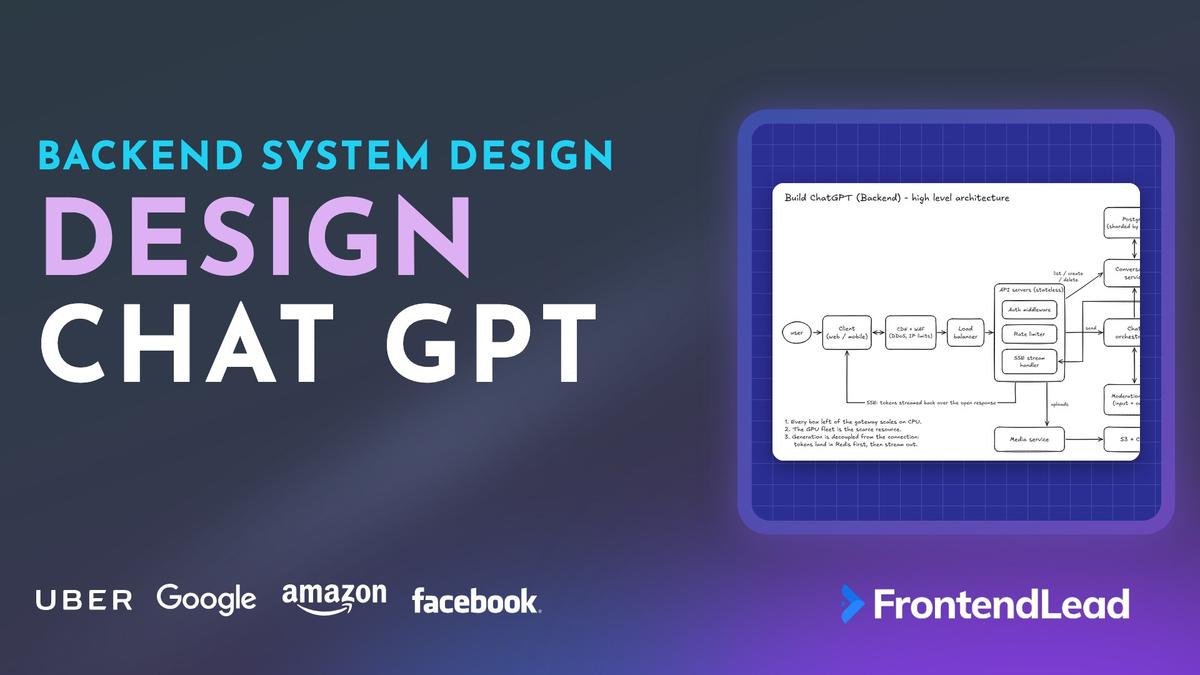
We’ll walk through the backend system design for building ChatGPT. Our goal is to design a backend that accepts a prompt, streams the reply back token by token, keeps every conversation safe in a database, and stays up when millions of people are typing at the same time.
Why is a frontend platform covering a backend question, you might be asking?
Well, “Design ChatGPT” is one of the most common questions in full-stack and AI company interviews right now, and the interviewer rarely stops at the UI. You draw the chat window, and the next question is “okay, what happens on the server when I hit send?” If you’ve read our Build ChatGPT (Frontend) guide, this is the other half of that answer.
We’ll structure the whole thing with the R.A.I.L.S framework from our General System Design Fundamentals guide: Requirements, Architecture, Interfaces, Latency/Load/Limits, and Storage/Scaling.
What to Expect
- The clarifying questions I ask before drawing anything
- Requirements and napkin math that point at the real bottleneck
- A high-level architecture you can draw in five minutes
- The full life of one message, from the send button to the database
- API design, the streaming format, and how a dropped connection resumes
- The data model, sharding, and the SQL vs NoSQL decision
- The inference layer: queues, GPU capacity, context windows, and batching
- Rate limiting, caching, failures, security, and observability
- The mistakes that cost people the round, and what a senior answer sounds like
Problem Statement
Design the backend for a ChatGPT-style assistant.
Requirements:
- A user sends a prompt and sees the reply stream in, word by word
- Conversations are saved, listed in a sidebar, and can be reopened later
- The user can stop a reply, regenerate it, and rate it
- The system serves about 10 million daily active users
- Abuse, spam, and unsafe content are handled
Describe the architecture, the API, the data model, how streaming works, and how the system scales.
Interviewers are checking three things here.
First, do you treat this as a normal CRUD chat app, or do you notice that the model is the slow, expensive part and design around it? Second, do you know what happens to a message when something fails halfway through a reply? Third, can you make decisions and defend them, or do you list five databases and hope one of them is right?
Clarifying Questions
Never start drawing boxes immediately. Spend the first three to five minutes asking questions, and say out loud what you’re leaving out. These are the ones I ask for this problem:
| # | Question | A Typical Answer |
|---|---|---|
| 1 | How should I split my time between frontend and backend? | Backend only for this round. Assume a client exists. |
| 2 | Do I need to design the ML model itself? | No. Treat the model as a service you call. Know roughly how it behaves. |
| 3 | How many users, and how many messages per user? | 10M daily active users. About 5 conversations a day, 4 prompts each. |
| 4 | Can logged-out users start a chat? | Yes, with a much lower limit. Their chats aren’t saved. |
| 5 | Do we support more than one model? | Yes. A fast small model and a slower large one. Paid users get priority. |
| 6 | Image uploads, voice, web search, tools? | Out of scope. Mention where they’d plug in. |
| 7 | Can a user chat from two devices at once? | Yes. Both should see the same history. Live sync between tabs is a follow-up. |
| 8 | Do we need thumbs up / thumbs down? | Yes. It feeds analytics and future training. It must never slow down a reply. |
| 9 | One region or global? | Start with one region. Explain how you’d go multi-region. |
Question 1 matters more than it looks. In a full-stack round you have 45 minutes for both halves, and the interviewer usually has a preference. Ask. I’ve seen candidates spend 25 minutes on React components in a round where the interviewer wanted databases.
“I’ll focus on sending a message, streaming the reply, and saving conversations. I’ll treat the model as a service I call, and I’ll leave uploads, voice, and search out unless you’d like me to cover them. Does that sound good?”
R: Requirements

Functional Requirements
- Send a message: the user sends a prompt and gets a streamed reply.
- Manage conversations: create, list, rename, and delete.
- Load history: open any old conversation and page through its messages.
- Stop and regenerate: cancel a reply mid-stream, or ask for a new one.
- Feedback: thumbs up or down on a reply.
Non-Functional Requirements
| Requirement | Target | Why It Matters |
|---|---|---|
| Latency | First token in about 1 second, then a steady stream | Users forgive a long answer. They don’t forgive a blank screen. |
| Durability | Never lose a message the user sent | A prompt that vanishes on refresh destroys trust. |
| Availability | 99.9%, and degrade before you fail | A slower or smaller model beats an error page. |
| Scale | 10M DAU, 100K+ open streams at peak | Open connections and GPU time are the hard limits. |
| Safety | Moderation, rate limits, abuse controls | Every request costs real money and carries real risk. |
| Cost | Protect GPU seconds | The model is the most expensive thing in the system by a wide margin. |
Napkin Math
Do this fast. In the interview it’s one minute, not five. The point isn’t precision. The point is finding out which number is scary.
- Prompts: 10M DAU x 5 conversations x 4 prompts = 200M prompts per day.
- Request rate: 200M / 86,400 seconds is about 2,300 prompts per second on average. Assume peak is 3x, so about 7,000 per second.
- Open streams: a reply streams for roughly 15 seconds. 2,300 x 15 is about 35K open streams on average, and about 100K at peak.
- Storage: every prompt has a reply, so 400M messages per day. Prompts are short, replies are long, so call it 1.5KB on average with metadata. That’s about 600GB per day, or about 220TB per year.
- Tokens: 200M replies x about 300 tokens = 60B output tokens per day, or about 700K tokens per second across the whole fleet.
Now look at what those numbers tell you.
2,300 requests per second is not a lot. A handful of API servers can handle that. 220TB a year is big, but it’s a solved problem: you shard and you archive.
The scary numbers are the last two. 100K connections held open for 15 seconds each, and 700K tokens per second coming out of GPUs. If one model server produces 2,500 tokens per second with batching (an assumption, and the exact number doesn’t matter), you need about 280 of them on average and over 800 at peak. That’s where the money and the engineering go.
You can say all of this in one breath:
“10M DAUs at 20 prompts a day is 200M prompts, about 2,300 per second, 7,000 at peak. Each reply streams for around 15 seconds, so I’m holding roughly 100K connections open at peak and pushing about 700K tokens per second out of the GPUs. So my bottleneck isn’t the API or the database. It’s GPU capacity and long-lived connections, and I’ll design around that.”
That last sentence is what separates a senior answer from a junior one. You used the math to decide where to spend the interview.
A: Architecture

This is the part of the interview where you start drawing boxes. Start simple, then layer in complexity as the interviewer asks.
The one idea to hold onto: everything to the left of the inference gateway is a normal web backend that scales on cheap CPU. Everything to the right is a GPU fleet that is scarce and expensive. The architecture exists to protect the right side from the left side.
| Component | Responsibility | Scales On |
|---|---|---|
| CDN + WAF | Serves static assets, absorbs DDoS, blocks abusive IPs before they reach you | The provider |
| Load balancer | Spreads traffic across API servers, removes unhealthy ones | Connections |
| API servers | Stateless. Auth, rate limiting, and holding the open SSE stream to the client | Open connections |
| Conversation service | CRUD for conversations and messages. Owns the database. | Requests per second |
| Chat orchestrator | Runs one “send message” from start to finish: save, moderate, build context, call the model, save again | Requests per second |
| Moderation model | Classifies prompts and replies (hate, threats, self-harm, and so on) | Small GPUs or CPU |
| Inference gateway | Admission control, priority queue, and routing to a model server | Queue depth |
| GPU model servers | Run the model and emit tokens | Tokens per second |
| Postgres | Source of truth for users, conversations, and messages | Shards and replicas |
| Redis | Cache, rate limit counters, and a short-lived buffer for token streams | Memory |
| Kafka | Carries events (feedback, usage, logs) to analytics without slowing the request | Partitions |
A few decisions here are worth explaining out loud, because the interviewer will ask.
Why are the API servers stateless? So any server can serve any user. No sticky sessions. If a server dies mid-stream, the client reconnects to a different one and picks up where it left off. We’ll get to how.
Why a separate orchestrator? Sending a message is a multi-step workflow with failure handling at every step. Keeping it in one place means the “what if it fails here?” logic lives in one service instead of being smeared across three.
Why Kafka for thumbs up/down? A rating is not urgent. Nobody is waiting on it. Write it to a log, return 200, and let consumers update analytics and build training datasets later. If analytics is down, chat still works.
Where do uploads go? A media service hands the client a presigned URL, the file goes straight to object storage (S3), and a CDN serves it. The chat path only ever sees a file ID. It’s out of scope, but showing the box tells the interviewer you know it exists.
Tips for this step
- Draw the request path left to right first. Add storage and async pieces after.
- Say what each box owns. “Conversation service owns the database” is a design decision. “Conversation service” is just a label.
- Name the scarce resource early. Here it’s GPUs.
Data Flow: What Happens When You Send a Message

After the boxes, walk through the main use case end to end. If you only have time to go deep on one thing in this interview, make it this.
- The client sends the prompt.
POST /v1/conversations/{id}/messageswith anIdempotency-Keyheader. The response is an event stream. - The API server authenticates and rate limits. If the user is over their limit, return 429 right here. Don’t spend anything downstream.
- The orchestrator saves the user message first. It also inserts an empty assistant message with
status = streaming. Both rows are written before the model is called. - Moderation checks the prompt. If it fails, mark the assistant message
failedwith a reason and return a refusal. No GPU time is spent. - The orchestrator builds the context. It loads the recent history, trims it to the model’s token budget, and sends it to the inference gateway.
- The model generates tokens. As each chunk is produced, it’s appended to a Redis Stream keyed by the assistant message ID.
- The API server reads the stream. It does a blocking read on that key and gets new chunks as they land.
- The API server forwards each chunk as an SSE event. The user sees words appear.
- Generation finishes. The gateway reports the token usage.
- The orchestrator saves the final reply. One update: full text, token counts,
status = complete. - The client gets a
doneevent and the connection closes.
Two details in this flow do most of the work.
Save the User Message Before You Call the Model
This is the most common mistake I see in this question. People draw: client, server, model, and then “save to DB” after a successful response.
Think about what that means. The model times out, or the user’s train goes into a tunnel, and the prompt they typed is gone. They refresh and there’s nothing there.
Write the user message first. Write a placeholder for the reply with a status. Now every failure has somewhere to land:
| Status | Meaning | What the UI Shows |
|---|---|---|
streaming |
Generation is in progress | The reply so far, with a cursor |
complete |
Full text saved | The reply |
failed |
Model error, timeout, or moderation block | An error with a Retry button |
stopped |
The user pressed stop | The partial reply, as is |
A background sweeper marks any message stuck in streaming for more than a few minutes as failed. Without it, a crashed worker leaves a reply spinning forever.
Don’t Write Every Token to the Database
A reply is about 300 tokens. If you update the row on every token, that’s 300 writes per reply, or 60 billion writes a day. Don’t do that.
Tokens go to Redis while the reply is being generated. Postgres gets two writes per reply: one when it starts, one when it ends. If you want partial text to survive a Redis failure, checkpoint to Postgres every few seconds. Never per token.
I: Interfaces
Now define how the client talks to the backend. Keep it REST, keep it boring, and spend your words on the one endpoint that isn’t boring. For general API guidelines, see the API Design chapter.
Endpoints
[ Create Conversation ]
POST /v1/conversations
Body: { title?, model? }
-> 201 { id, title, model, created_at }

[ List Conversations ]   (sidebar, newest first)
GET /v1/conversations?cursor=&limit=20
-> 200 { conversations: ConversationPreview[], next_cursor }

[ Get Messages ]   (newest first, scroll up for older)
GET /v1/conversations/{id}/messages?cursor=&limit=30
-> 200 { messages: Message[], next_cursor }

[ Rename / Delete Conversation ]
PATCH  /v1/conversations/{id}   Body: { title }
DELETE /v1/conversations/{id}   -> 204   (soft delete)

[ Send Message ]   (the response is an event stream)
POST /v1/conversations/{id}/messages
Headers: Authorization, Idempotency-Key, Accept: text/event-stream
Body: { content, parent_message_id?, model? }
-> 200 text/event-stream

[ Resume a Stream ]
GET /v1/messages/{message_id}/stream
Headers: Last-Event-ID
-> 200 text/event-stream

[ Stop Generation ]
POST /v1/messages/{message_id}/stop   -> 202

[ Rate a Reply ]
PUT /v1/messages/{message_id}/feedback
Body: { rating: "up" | "down", comment? }
-> 204
A few things to call out, because each one is a small signal of experience:
- Cursor pagination, not page numbers. New conversations arrive constantly. With
?page=2the list shifts under you and you get duplicates. A cursor (theupdated_atand ID of the last item) doesn’t have that problem. - The list returns previews. ID, title, and
updated_at. Never ship message bodies in the sidebar call. - Feedback is a PUT. A user has one rating per message. Sending it twice should leave one rating, not two.
- Delete is soft. Set
deleted_at, hide it immediately, and purge it later with a background job. It makes “undo” possible and keeps the request fast.
Idempotency: The Double Send Problem
The user hits send on a bad connection. The request reaches your server, but the response never makes it back. The client retries. Without protection, you now have two copies of the prompt and you’ve paid for two replies.
The client generates a UUID per send and puts it in the Idempotency-Key header. The messages table has a unique index on (user_id, idempotency_key). On a retry, the insert conflicts, and the server returns the stream for the message that already exists instead of creating a new one.
The Streaming Format
The reply comes back as Server-Sent Events. Each event has an id, a type, and a small JSON payload:
event: message.start
id: 0
data: { "message_id": "msg_123", "model": "large-v2" }

event: message.delta
id: 1
data: { "text": "Sharding " }

event: message.delta
id: 2
data: { "text": "splits your data " }

: ping

event: message.done
id: 87
data: { "status": "complete", "usage": { "prompt_tokens": 412, "completion_tokens": 86 } }
The text is Markdown. The server doesn’t render it. It streams raw Markdown and the client renders code blocks, bold, and lists as they arrive.
The : ping line is an SSE comment. Send one every 15 seconds or so. When a model is thinking and no tokens are flowing, load balancers and proxies see an idle connection and close it. The heartbeat keeps it alive.
The id on every event is what makes resuming possible. Hold that thought.
SSE vs WebSockets vs Polling
| Aspect | Polling | SSE | WebSockets |
|---|---|---|---|
| Direction | Client asks repeatedly | Server to client | Both ways |
| Protocol | Plain HTTP | Plain HTTP | Upgraded connection |
| Works with existing auth, proxies, load balancers | Yes | Yes | Needs extra care |
| Built-in resume | No | Yes (Last-Event-ID) |
No, you build it |
| Fit for token streaming | Poor: laggy and wasteful | Best | Works, but more than you need |
SSE is the right call, and you should say why. The user sends one message, then the server talks for 15 seconds. That’s one-way traffic. WebSockets are bidirectional, and we don’t need bidirectional. With SSE, the stream is a normal HTTP response, so auth headers, rate limiting, and load balancing all work exactly the way they already do.
“I’d use SSE over WebSockets. The data only flows one way during a reply, it runs over plain HTTP so my existing auth and load balancers just work, and it has resume built in with Last-Event-ID. I’d reach for WebSockets if I needed real two-way traffic, like voice or collaborative editing.”
Two SSE details that bite people in production:
- Proxy buffering. Some proxies collect the response and deliver it in one piece, which turns your stream into one long wait. Turn buffering off for this route (for NGINX, the
X-Accel-Buffering: noresponse header) and sendCache-Control: no-cache. - EventSource only does GET. The browser’s
EventSourceAPI can’t send a POST body or custom headers. For the send endpoint, the client usesfetchand reads the response body as a stream. The resume endpoint is a GET, so either works there. The MDN guide to server-sent events covers the wire format.
If you want a refresher on the protocols themselves, the Web Protocols Cheat Sheet has you covered.
Resuming a Dropped Stream

Here’s a question that separates people: the user’s wifi drops ten seconds into a reply. What happens?
If the model’s output is piped straight through one API server to one socket, the answer is ugly. The tokens have nowhere to go. You either kill the generation and waste the GPU time, or you finish it and nobody ever sees it.
The fix is to decouple generation from the connection.
- The inference worker doesn’t write to a socket. It appends chunks to a Redis Stream at
stream:{message_id}. Each entry gets an increasing sequence number. - The API server holding the client connection does a blocking read on that stream and forwards entries as SSE events, using the sequence number as the event
id. - When the connection drops, the worker doesn’t know and doesn’t care. It keeps appending.
- The client reconnects to
GET /v1/messages/{id}/streamwithLast-Event-ID: 3. It may land on a completely different API server. That server reads the stream starting after entry 3 and carries on. - When generation is done, the full reply is saved to Postgres and the stream is given a short TTL.
If the client comes back after the stream has expired, the resume endpoint just returns the finished message from the database. The user sees the full reply either way.
This one design choice gives you resumable streams, stateless API servers, safe deploys (you can restart API servers mid-reply), and multi-device support for free. A second tab can read the same stream.
Data Model

Four tables cover the whole problem.
type Conversation = {
  id: string;
  user_id: string;           // owner, and the shard key
  title: string;
  model: string;             // default model for this chat
  created_at: string;
  updated_at: string;        // bumped on every new message, drives sidebar order
  deleted_at?: string;       // soft delete
};

type Message = {
  id: string;
  conversation_id: string;
  user_id: string;               // copied here so messages shard with their owner
  parent_message_id?: string;    // enables edits and regenerate
  role: "user" | "assistant" | "system";
  status: "streaming" | "complete" | "failed" | "stopped";
  content: string;               // Markdown
  model?: string;                // which model wrote this reply
  prompt_tokens?: number;
  completion_tokens?: number;
  idempotency_key?: string;      // unique per user
  created_at: string;
};

// What the sidebar gets
type ConversationPreview = Pick<Conversation, "id" | "title" | "updated_at">;
Let me point out the fields that earn their place.
conversation_id lives on the message. A conversation has many messages, so the foreign key goes on the “many” side. I’ve seen people put a message_id on the conversation table instead. That can only ever point at one message. It’s a small slip, but interviewers notice schema mistakes quickly.
role instead of a boolean. A gpt_response: true/false flag works until you add system prompts or tool results. An enum costs nothing and doesn’t need a migration later.
parent_message_id makes the conversation a tree. When a user edits an old prompt or regenerates a reply, you don’t overwrite anything. You add a new message with the same parent. That’s how the “2 / 3” arrows under a reply work: they’re siblings.
model and token counts on every reply. You need them for billing, for quotas, and for debugging “why was this answer bad?” three weeks later.
What about logged-out users? Give them an anonymous user row tied to a device ID or signed cookie. Everything else works unchanged, you rate limit them by device and IP, and their conversations get a short retention window. Don’t store an IP address on every message. Put it in your request logs, where it has a retention policy.
Indexes
-- Sidebar: my conversations, newest first
CREATE INDEX idx_convos_user ON conversations (user_id, updated_at DESC)
  WHERE deleted_at IS NULL;

-- Open a chat: its messages in order
CREATE INDEX idx_messages_convo ON messages (conversation_id, created_at);

-- Idempotent sends
CREATE UNIQUE INDEX idx_messages_idem ON messages (user_id, idempotency_key)
  WHERE idempotency_key IS NOT NULL;
Only index what you query. Those three indexes map one-to-one to the three hot paths: list the sidebar, open a chat, send a message.
The Inference Layer

This is the part most candidates draw as a single box labeled “GPT Model.” It’s also the part that makes this question different from “design a chat app.” You don’t need to know how transformers work. You do need to know how a slow, expensive, stateful compute resource behaves under load.
Building the Context
The model has no memory. Every request must include the conversation so far. The orchestrator builds that prompt:
- Start with the system prompt.
- Load the most recent messages for this conversation (from Redis if they’re cached, Postgres if not).
- Count tokens. Every model has a context window, a maximum number of tokens it can read.
- If the history doesn’t fit, drop or summarize the oldest turns until it does. Always leave room for the reply.
function buildContext(history: Message[], budget: number): Message[] {
  const context: Message[] = [];
  let used = 0;
  // Walk backwards: the newest messages matter most
  for (let i = history.length - 1; i >= 0; i--) {
    const cost = countTokens(history[i].content);
    if (used + cost > budget) break;
    context.unshift(history[i]);
    used += cost;
  }
  return context;
}
For very long chats, a better approach is to keep a running summary of the older turns and send “summary + recent messages.” The trade-off is one extra, cheap model call every so often in exchange for the model not forgetting what you said an hour ago.
Admission Control and the Queue
A web server that gets too many requests slows down a little. A GPU that gets too many requests falls over, or makes everyone wait a minute. So you never let traffic hit the GPUs directly.
- Admission control: before queueing, check the user’s token quota and the current queue depth. If the system is saturated, say no early with a 429 and a
Retry-Afterheader. A fast “we’re busy, try again in 20 seconds” is better than a spinner that never resolves. - Priority queue: paid users go ahead of free users. During a spike, free users wait longer or get moved to the small model. That’s graceful degradation: the product gets a little worse for some people instead of failing for everyone.
- Timeouts: if a request waits more than a few seconds in the queue, or a generation stalls, fail it and mark the message
failed. A retry button beats a dead screen.
Routing and Batching
The router picks a model server based on which model was requested, which region is closest, and which servers have capacity.
Model servers use continuous batching. A GPU can run many requests in the same forward pass, so the server keeps a rolling batch: when one reply finishes, a queued request takes its slot right away, with no waiting for the whole batch to end. This is how one GPU serves dozens of users at once, and it’s the biggest single lever on cost.
The trade-off: bigger batches mean more total tokens per second, but each individual user’s tokens arrive a little slower. You tune batch size against your first-token latency target.
Reusing Work Between Turns
Turn 5 of a conversation sends turns 1 through 4 again. The model already processed that exact text on the previous turn.
Model servers can keep the internal state for a prompt prefix (often called a KV cache or prompt cache) for a few minutes. If the next request starts with the same prefix and lands on the same server, it only pays for the new tokens. So the router tries to send a conversation back to the server that handled it last. It’s a preference, not a requirement: if that server is full or gone, any server can do the work from scratch.
Stop and Cancel
When the user hits stop, POST /v1/messages/{id}/stop sets a cancel flag. The worker checks it between tokens, aborts, and frees its slot. The partial reply is saved with status = stopped.
This matters for cost. Without cancellation, every abandoned reply keeps burning GPU time until it finishes on its own.
Notice that closing the tab is not the same as pressing stop. Because generation is decoupled from the connection, a closed tab doesn’t cancel anything, and the reply is there when the user comes back. That’s a product decision. Say it out loud and let the interviewer disagree.
Autoscaling and Cold Starts
API servers start in seconds. A model server has to load tens of gigabytes of weights into GPU memory, which takes minutes. You can’t scale GPUs reactively the way you scale web servers.
- Scale on queue depth and wait time, not CPU.
- Keep a warm pool: servers with the model already loaded, sitting idle, ready to take traffic.
- Traffic follows the clock, so scale up ahead of the daily peak instead of in response to it.
- When you run out anyway, the queue and the smaller model absorb the spike.
L: Latency, Load, and Limits
Where the Time Goes
The metric that matters is time to first token (TTFT). Here’s a rough budget for it:
| Step | Budget | How to Keep It There |
|---|---|---|
| Edge, TLS, load balancer | ~50ms | Keep-alive connections, terminate TLS at the edge |
| Auth + rate limit | ~10ms | Verify the token locally, one Redis call for limits |
| Save the two message rows | ~15ms | One transaction on the user’s shard |
| Moderation | ~50ms | Small, fast classifier. Run it in parallel with context building. |
| Build context | ~20ms | Recent messages cached in Redis |
| Queue wait | 0 to seconds | This is the one that blows up under load |
| Model produces the first token | ~300ms+ | Prefix caching, sensible batch sizes |
Everything you control adds up to about 150ms. The rest is the queue and the model. That’s why the engineering effort goes into the inference layer and not into shaving 5ms off an API handler.
Rate Limiting

A common question here: should you rate limit at the CDN or in Redis? The answer is both, because they stop different things.
| Layer | Keyed By | Good At | Can’t Do |
|---|---|---|---|
| Edge (CDN / WAF) | IP address | Floods, bad IPs, whole countries. Cheap, and runs before your servers. | Know who the user is, or count “messages per day” |
| App (Redis token bucket) | User ID, or device for anonymous users | Per-user limits that respect the plan. One counter shared by every API server. | Stop traffic before it costs you a request |
| Model (token budget) | User ID + model | The actual cost. Counts tokens, not requests. | Know the exact cost up front |
The third layer is the one people miss. “60 requests per minute” treats a one-line question and a 20-page document the same, and they differ in cost by a factor of a thousand. Real limits are in tokens.
The catch is that you don’t know how long a reply will be until it’s finished. So you reserve an estimate when the request is admitted, then settle the real number when generation ends.
For the app layer, a token bucket in Redis is the standard answer. Each user has a bucket that refills at a fixed rate and allows short bursts. The check-and-decrement has to be atomic (a Lua script, or a single Redis command), or two API servers will both read “1 left” and both let a request through.
What if Redis is down? Decide ahead of time. For chat, I’d fail open at the app layer for a short window, because the edge limits and the model’s token budget still protect you. Failing closed means a Redis blip takes down the product.
Caching: What Works and What Doesn’t
Here’s a trap. It’s tempting to draw a Redis cache between your service and the model, keyed on the prompt, and call it a performance win.
It almost never hits. The real input to the model is the whole conversation, which is unique to that user at that moment. On top of that, replies are sampled, so the same prompt doesn’t even produce the same answer twice. You’d be paying for memory to store answers nobody will ever ask for again.
| What to Cache | Worth It? | Notes |
|---|---|---|
| Sidebar conversation list | Yes | Read on every page load. Invalidate on create, rename, delete. |
| Last N messages of active chats | Yes | Needed for context on every turn. Short TTL. |
| User plan and quota | Yes | Read on every request. |
| The model’s prefix state | Yes | Lives on the model server, not in Redis. The biggest win. |
| Full replies, keyed by prompt | No | Near-zero hit rate. Fine for a public demo with canned prompts. |
For the first three rows, use the cache-aside pattern: check Redis, on a miss read Postgres, write the result back with a TTL.
Moderation
Moderate both directions.
- Input: a small, fast classifier checks the prompt before any GPU time is spent on the big model. This is synchronous and blocking, so it has to be quick.
- Output: the reply is checked in chunks as it streams. If it trips, stop the stream, replace the text with a refusal, and mark the message.
The trade-off on output is latency versus safety. Checking every chunk before you send it adds delay to every token. Checking slightly behind the stream is faster, but a few words can reach the screen before you pull them. Most products accept the second.
S: Storage and Scaling

SQL or NoSQL?
You’ll get asked. Here’s the honest comparison for this workload:
| Aspect | SQL (Postgres) | NoSQL (DynamoDB, Cassandra) |
|---|---|---|
| Relationships | Users, conversations, messages with real foreign keys | You enforce them in application code |
| Consistency | Strong. Transactions across rows. | Usually per-partition. Often eventual. |
| Queries | Flexible: joins, filters, sort by anything indexed | You design tables around known access patterns |
| Write scale | Needs sharding, which you manage | Built-in partitioning |
| Best for | Users, billing, conversations | Very high volume, append-only data with simple reads |
My pick: Postgres, sharded by user. The “save the user message and the placeholder together” step wants a transaction. The access patterns are simple enough that sharding isn’t painful. And one database is easier to run than two.
A hybrid is also a perfectly good answer: users and conversations in SQL, messages in a wide-column store partitioned by conversation_id and sorted by created_at. Messages are append-heavy and almost always read as “give me this whole thread,” which is exactly what those stores are good at.
What’s not a good answer is listing six databases and never choosing. Pick one, say why, and say when you’d change your mind.
“I’d start with Postgres sharded by user ID, because I want a transaction when I save a prompt and its placeholder, and the queries are simple. If message volume outgrew that, I’d move just the messages table to something like DynamoDB partitioned by conversation ID, since it’s append-only and always read by thread.”
Choosing the Shard Key
220TB a year doesn’t fit on one machine, so the data is split across shards. The shard key decides which queries are cheap and which are painful.
| Query | Shard by conversation_id |
Shard by user_id |
|---|---|---|
| Open one conversation | One shard | One shard |
| List my conversations (every page load) | Every shard, then merge | One shard |
| Delete my account, export my data | Every shard | One shard |
| Risk | Scatter-gather on the hottest read | One very heavy user makes a hot shard |
Shard by user_id. A user’s conversations and messages live together, and every request already knows the user from the auth token. This is why user_id is copied onto the messages table.
The hot shard risk is real but manageable. Individual users are small. The dangerous case is a huge tenant, like one enterprise account, and you handle that by giving it a dedicated shard.
Consistent Hashing, Not Modulo
The simple approach is shard = hash(user_id) % N. It works until you add a shard. Change N from 10 to 11 and almost every user maps to a different shard, which means moving nearly all of your data at once.
With consistent hashing, shards sit on a ring, and adding one only moves the keys next to it. In practice, most teams go one step further and keep a lookup table from many small virtual buckets to physical shards, so rebalancing is “move bucket 4,812 to the new machine” as a background job. Tools like Citus (for Postgres) and Vitess (for MySQL) do this for you.
Replicas, Caching, and Cold Data
- Replicas: each shard has one primary for writes and two or more replicas for reads. If the primary dies, a replica is promoted.
- Replication lag: replicas are slightly behind. If you write a message and immediately read from a replica, it might not be there. For the few seconds after a write, read that user’s data from the primary (or from the Redis cache you just updated).
- Cold data: most conversations are never opened again after the first week. Move ones that have been idle for 90+ days to object storage and keep only the metadata row in the hot database. If the user opens it, load it back. This is what keeps the hot dataset, and your bill, from growing forever.
Going Multi-Region
For a first design, one region is fine. When you go global:
- Pin each user to a home region. Their data is written there, which avoids multi-primary conflicts and helps with data residency rules.
- Stateless API servers run in every region and route to the user’s home region for data.
- GPU capacity can be shared: a prompt can be sent to whichever region has free capacity, since the model servers don’t hold user data.
Handling Failures and Edge Cases
This is where a strong answer and an average answer really split. For each failure, say what the user sees and what the system does.
| Edge Case | What the User Sees | What the System Does |
|---|---|---|
| Model timeout or crash mid-reply | The partial text, an error, and a Retry button | Mark the message failed. Retry once on another server only if no tokens were sent yet. |
| Connection drops mid-stream | The reply keeps going after reconnect | Generation continues into Redis. The client resumes with Last-Event-ID. |
| Double submit or client retry | One message, one reply | The idempotency key hits the unique index and returns the existing stream. |
| Moderation blocks the prompt | A refusal message | Message marked failed with a reason. No GPU time spent. |
| GPU fleet is saturated | “We’re busy” with a wait time, or a faster small model | Admission control returns 429 + Retry-After, or routes down. |
| Redis is down | Slower loads. Streaming may be degraded. | Cache falls back to Postgres. Rate limiter fails open briefly. Stream falls back to a direct pipe with no resume. |
| A database shard’s primary fails | A few seconds of errors for users on that shard | Promote a replica. Other shards are unaffected. |
| API server restarts during a deploy | A brief pause in the stream | The client reconnects to another server and resumes. |
| Worker dies and never finishes | An error after a short wait | The sweeper marks messages stuck in streaming as failed. |
| Conversation longer than the context window | Nothing. It just works. | The context builder trims or summarizes older turns. |
One rule to remember about retries: you can safely retry before the first token, and you can’t after. Once the user has seen half a sentence, a silent retry would produce a different sentence. After that point, the retry has to be the user’s choice.
Security and Abuse
- Authentication: short-lived access tokens verified on every request. The token carries the user ID, which is also your shard key and rate limit key.
- Authorization: every query is scoped by
user_id. Fetching/conversations/{id}must check that the conversation belongs to the caller. Guessing an ID should get you a 404. This is the bug that leaks other people’s chats. - Input limits: cap the prompt size at the API. A 10MB prompt should be rejected before it reaches the tokenizer.
- Prompt injection: treat everything the model outputs as untrusted. If you add tools later, the model’s text must never be executed with more permissions than the user has.
- Output rendering: the server sends Markdown. The client must sanitize it when rendering, or a reply containing HTML becomes an XSS hole. See the XSS vs CORS guide.
- Bots and free-tier abuse: anonymous usage gets a CAPTCHA challenge when it looks automated, plus device and IP limits.
- Data handling: encrypt in transit and at rest. Keep prompts out of application logs. People paste passwords and medical details into chat boxes.
Observability
If the interviewer asks “how would you know this is working?”, these are the numbers to name:
| Metric | What It Tells You |
|---|---|
| Time to first token (p50, p95, p99) | What the user actually feels |
| Tokens per second, per stream | Whether the reply feels smooth or stuttery |
| Queue depth and queue wait time | Whether you’re out of GPU capacity. Your autoscaling signal. |
| GPU utilization and batch size | Whether you’re wasting money |
| Failed and stopped replies, as a rate | Reliability and quality |
| 429 rate, by plan | Whether limits are too tight or you’re under attack |
| Stream resumes per minute | Network or deploy trouble |
| Thumbs down rate, by model version | Whether the new model is actually better |
Give every request a trace ID that follows it through the API server, orchestrator, gateway, and model server. When one reply is slow, you want to see which hop ate the time.
Events like feedback and token usage go through Kafka. The request path publishes and moves on. Consumers aggregate usage for billing, feed dashboards, and build datasets for evaluating the next model.
Bonus: How the Model Is Trained, and How It Picks the Next Word

You almost never need this in a backend round. But “do you know roughly how the model works?” comes up at AI companies, and two minutes of the right vocabulary goes a long way.
Training (Offline)
This is roughly the recipe OpenAI described for the original ChatGPT:
- Pretraining: the model reads a huge amount of text and learns one skill, predicting the next token.
- Supervised fine-tuning: it’s trained on conversations written by people, so it learns to behave like an assistant.
- Reward model: people rank several replies to the same prompt. A second model learns to score replies the way those people would.
- Reinforcement learning: the assistant generates replies, the reward model scores them, and the assistant is updated toward higher scores (using an algorithm called PPO). Prompt, reply, reward, update, repeat.
None of this is in the request path. It’s a batch pipeline that produces a new set of weights, and your thumbs up/down events are one of its inputs. That’s the only place it touches the system you just designed.
Inference (Every Request)
The model doesn’t produce a sentence. It produces a probability for every possible next token. Given “System design is,” it might say:
- “planning the architecture”: 0.25
- “meeting requirements”: 0.24
- “designing services”: 0.18
- “designing databases”: 0.09
Then something has to pick one.
| Strategy | How It Picks | Result |
|---|---|---|
| Greedy | Always the highest probability | The same answer every time. Tends to be flat and repetitive. |
| Top-k | Randomly among the top k options, weighted by probability | Varied, more natural |
| Temperature | Sharpens or flattens the probabilities before sampling | Low is focused, high is creative |
The chosen token is added to the end of the prompt, and the whole thing runs again for the next token. That loop explains two things about the backend.
It’s why replies stream token by token: that’s literally how they’re produced. And it’s why caching full replies doesn’t work: with sampling on, the same prompt gives a different answer each time.
Common Mistakes
| Mistake | Why It Hurts | Do This Instead |
|---|---|---|
| Drawing the model as one box | You skipped the actual bottleneck | Queue, admission control, batching, autoscaling |
| Saving to the DB only after a successful reply | Any failure loses the user’s prompt | Save first, track a status |
| Caching replies by prompt | Near-zero hit rate | Cache lists, recent messages, and the model’s prefix state |
| Sharding by conversation ID | The sidebar query hits every shard | Shard by user ID |
| “SQL or NoSQL, either works” | You didn’t make a decision | Pick one, give the reason, name the tipping point |
| Rate limiting by request count only | One huge prompt costs 1,000x a small one | Add a token budget |
| Piping tokens straight from GPU to socket | A dropped connection loses the reply | Buffer in a stream, resume by event ID |
| Estimating storage and stopping there | You missed open streams and tokens per second | Let the math point at the bottleneck |
| Spending 10 minutes on model training | It’s out of scope, and time is short | One sentence, then move on unless asked |
What a Strong Answer Sounds Like
| Topic | Junior Answer | Senior Answer |
|---|---|---|
| Bottleneck | “We need to scale the database” | “GPU capacity and open streams. The API and DB are the easy part.” |
| Streaming | “Use WebSockets” | “SSE over HTTP, with event IDs, heartbeats, and resume” |
| Write path | “Call the model, then save” | “Save the prompt and a placeholder, then generate, then finalize” |
| Overload | “Add more servers” | “Admission control, a priority queue, and a smaller model as fallback” |
| Caching | “Cache responses in Redis” | “Cache reads and prefix state. Response caching won’t hit.” |
| Storage | “Use NoSQL because it scales” | “Postgres sharded by user ID, and here’s when I’d move messages out” |
| Limits | “Rate limit requests per IP” | “IP at the edge, per-user in Redis, and a token budget at the model” |
For a 45-minute backend round, here’s how I’d split the time:
- 5 minutes: clarifying questions, requirements, napkin math
- 8 minutes: high-level architecture
- 10 minutes: the send-message flow and streaming, including resume
- 7 minutes: API and data model
- 10 minutes: the inference layer, rate limits, storage and sharding
- 5 minutes: failures, trade-offs, and questions
If you only remember one summary, make it this one:
“The API and storage are a standard web backend: stateless servers, Postgres sharded by user, Redis for caching and limits. The interesting part is the model. I save the prompt before I call it, put a queue and admission control in front of the GPUs, write tokens to a stream so the reply survives a dropped connection, and limit users by tokens instead of requests.”
Want to see the other half? The Build ChatGPT (Frontend) guide covers the component tree, rendering streamed Markdown, and virtualizing long chats. For a classic two-way messaging design, see Design Chat App. And if you’d like to build the UI yourself, try the Build ChatGPT coding question.
Conclusion: ChatGPT Backend System Design
Designing the ChatGPT backend is two problems wearing one name. The first is a web backend you’ve probably built before: stateless API servers, a relational database, a cache, and rate limits. Get it right, but don’t spend your interview there.
The second is the one that makes this question worth asking. The model is slow, expensive, and can’t be scaled in a hurry, so the design is about protecting it. Save the user’s message before you spend any GPU time. Put admission control and a queue in front of the fleet. Write tokens to a stream so generation doesn’t depend on one fragile connection. Count tokens, not requests.
Use R.A.I.L.S to keep yourself on track, let the napkin math tell you where the bottleneck is, and make a decision every time you reach a fork. If you can explain what happens to a reply when the wifi drops halfway through, you’re already ahead of most candidates.